Cable Reel
- Remove steering wheel. When steering wheel is removed, SET/RESUME switch will be disconnected from cable reel. Remove steering column covers. Unplug cable reel 3-pin connector from main harness.
- Check for continuity between cable reel connector Blue/Red wire and cable reel connector (to SET/RESUME switch) terminal "D" while rotating cable reel. See Fig 1
.
- Check for continuity between cable reel connector Light Green/Red wire and cable reel connector terminal "E" while rotating cable reel. If continuity exists, cable reel is okay. If continuity does not exist, replace cable reel.
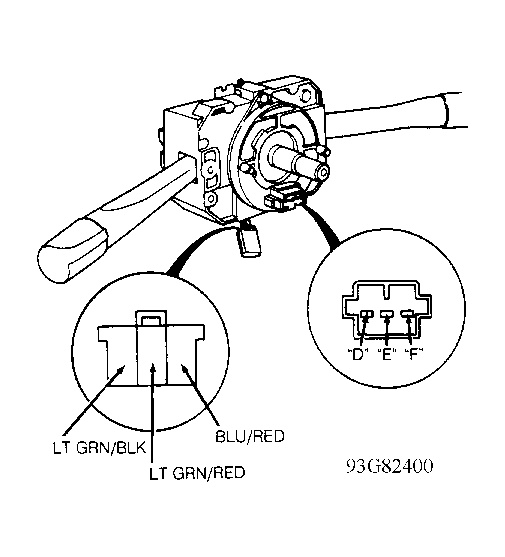 Courtesy of AMERICAN HONDA MOTOR CO., INC.