Wiper/Washer Switch Test/Replacement
- Remove the dashboard lower cover (see REMOVAL & INSTALLATION
).
- Remove the steering column covers (see STEERING COLUMN REMOVAL AND INSTALLATION
).
- Disconnect the connectors (A) from the wiper/washer switch (B), then remove the two screws (C) and the switch.
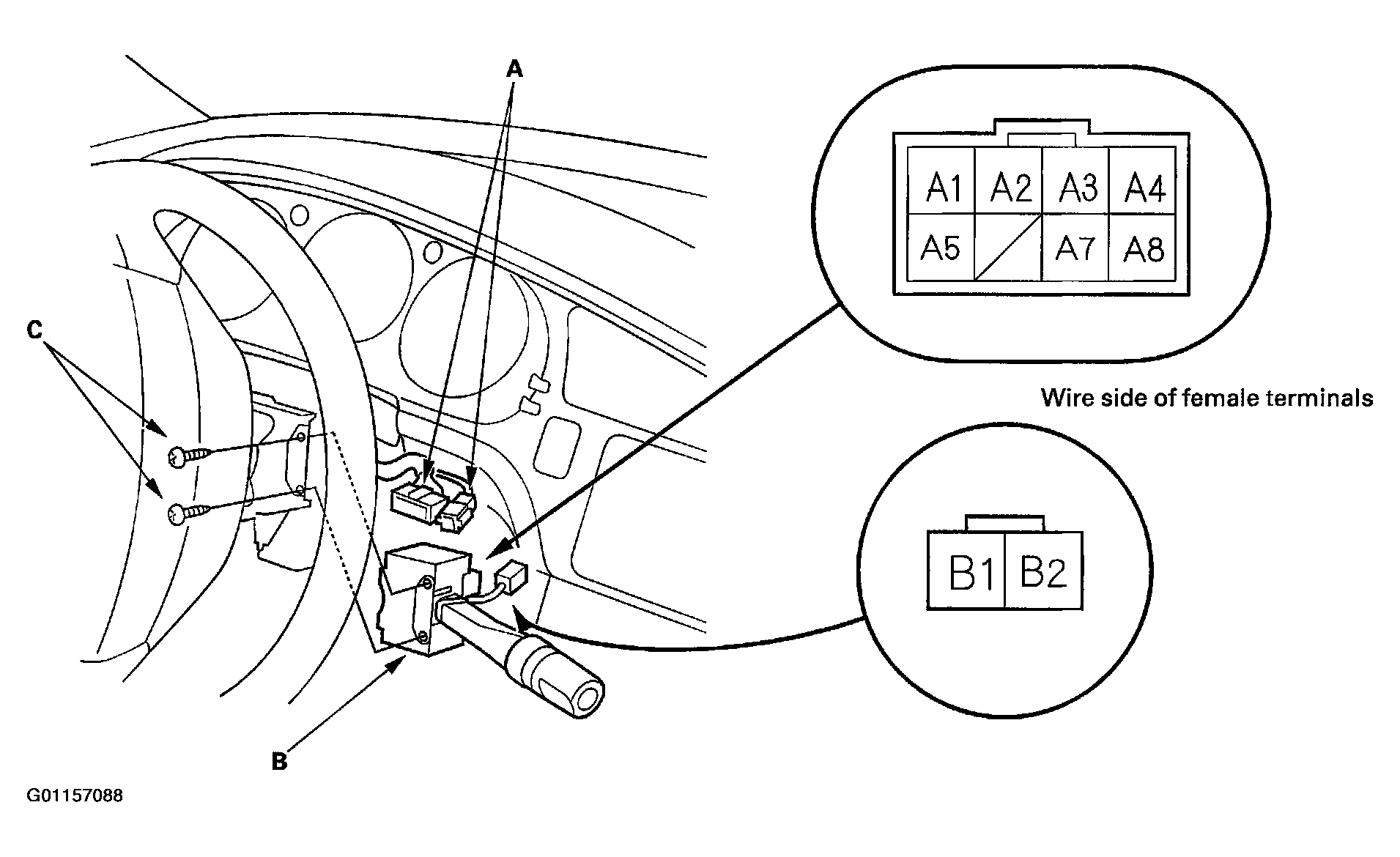 Courtesy of AMERICAN HONDA MOTOR CO., INC.
- Check for continuity between the terminals in each switch position according to the table. If the switch fails any continuity check, replace the switch.
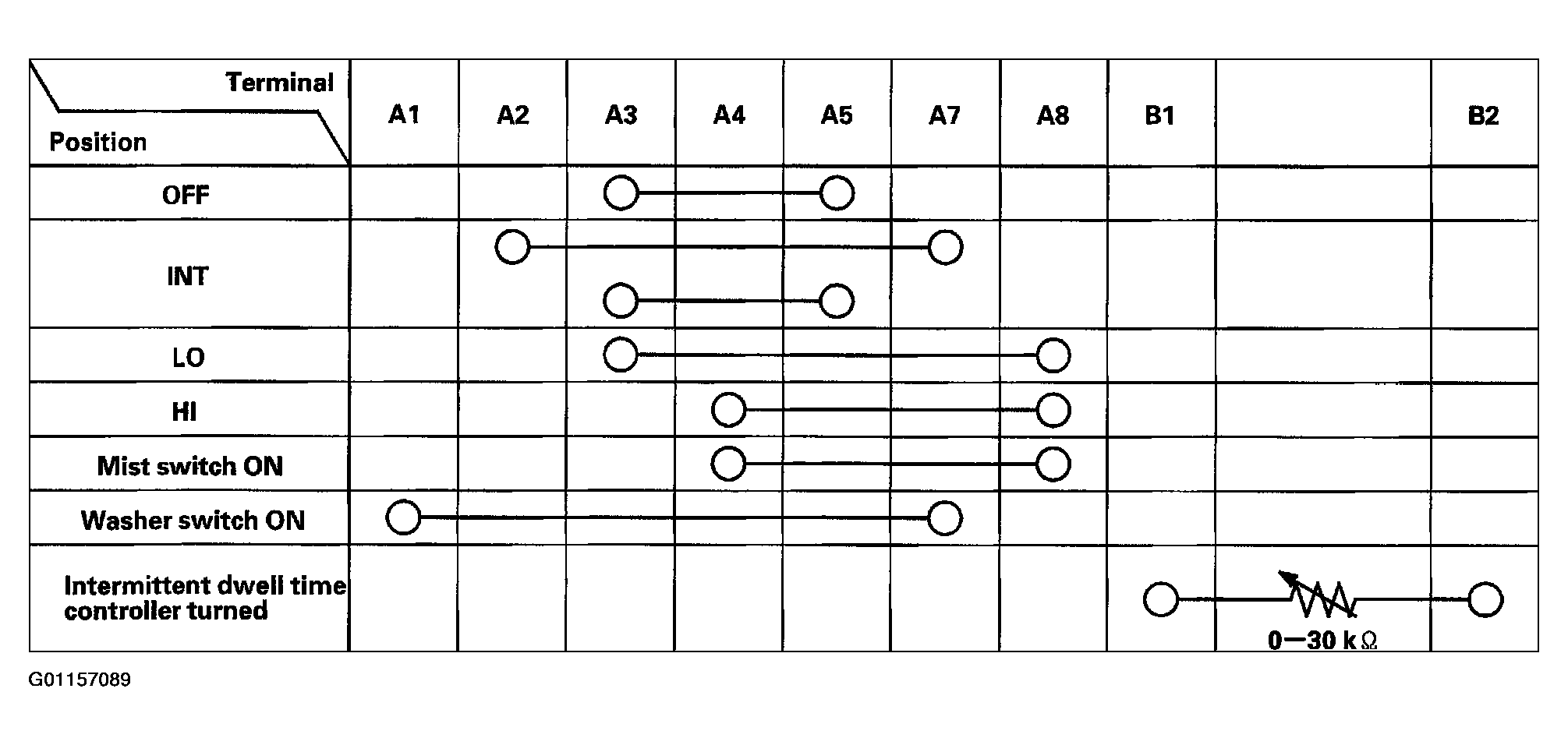 Courtesy of AMERICAN HONDA MOTOR CO., INC.
- If the continuity is not as specified, replace the switch.