Without the HDS
- Make sure you have the anti-theft code for the radio and navigation system, then write down the frequencies for the radio's station presets.
- Turn the ignition switch OFF.
- Remove the driver's dashboard lower cover (see DASHBOARD LOWER COVER REMOVAL/INSTALLATION
).
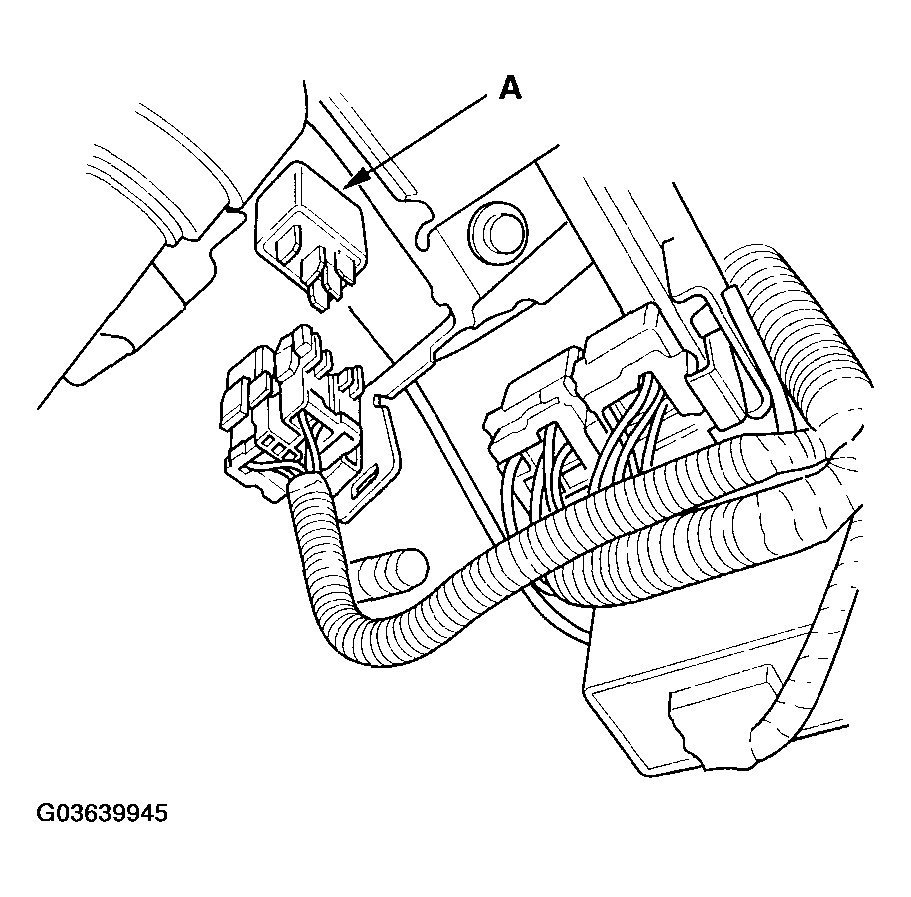
- Remove PGM-FI main relay 2 (FUEL PUMP) (A).
 Courtesy of AMERICAN HONDA MOTOR CO., INC.
- Remove the fuel fill cap, and relieve fuel pressure in the fuel tank.
- Start the engine, and let it idle until it stalls.
- Turn the ignition switch OFF.
- Disconnect the negative cable from the battery.
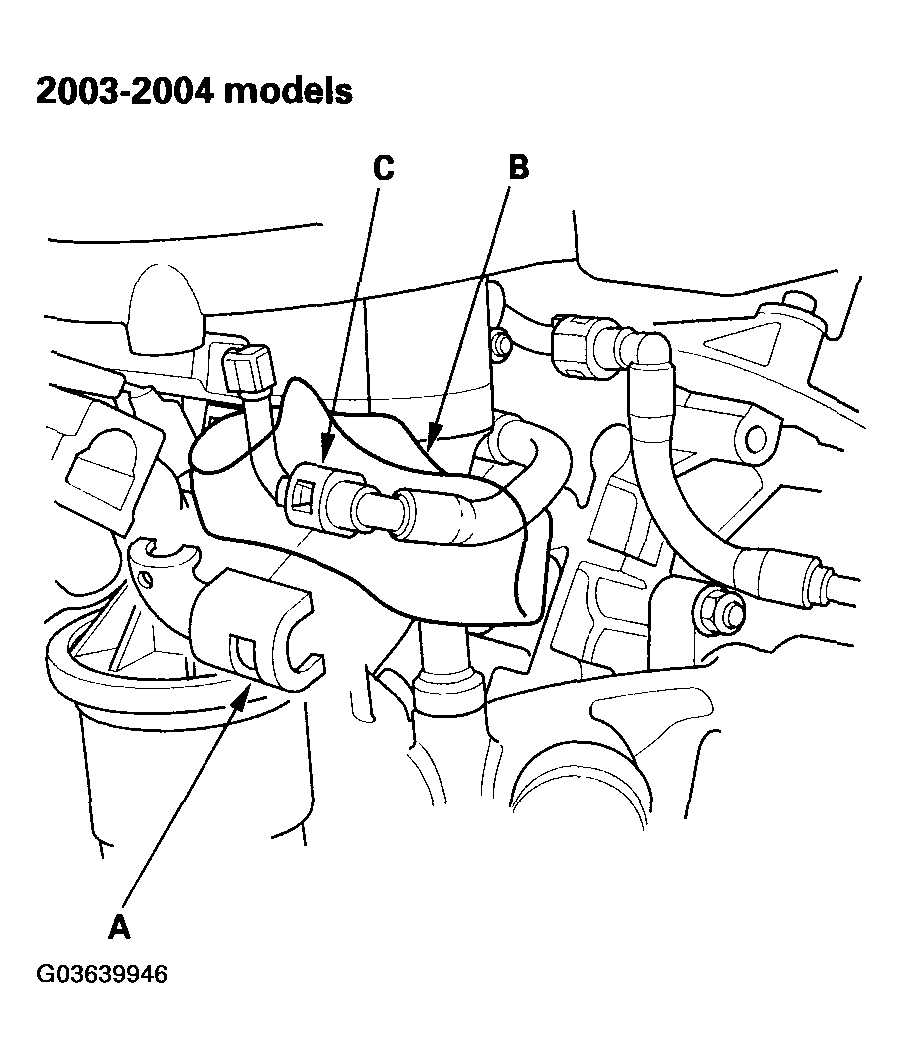
- Remove the quick-connect fitting cover (A).
 Courtesy of AMERICAN HONDA MOTOR CO., INC.
 Courtesy of AMERICAN HONDA MOTOR CO., INC.
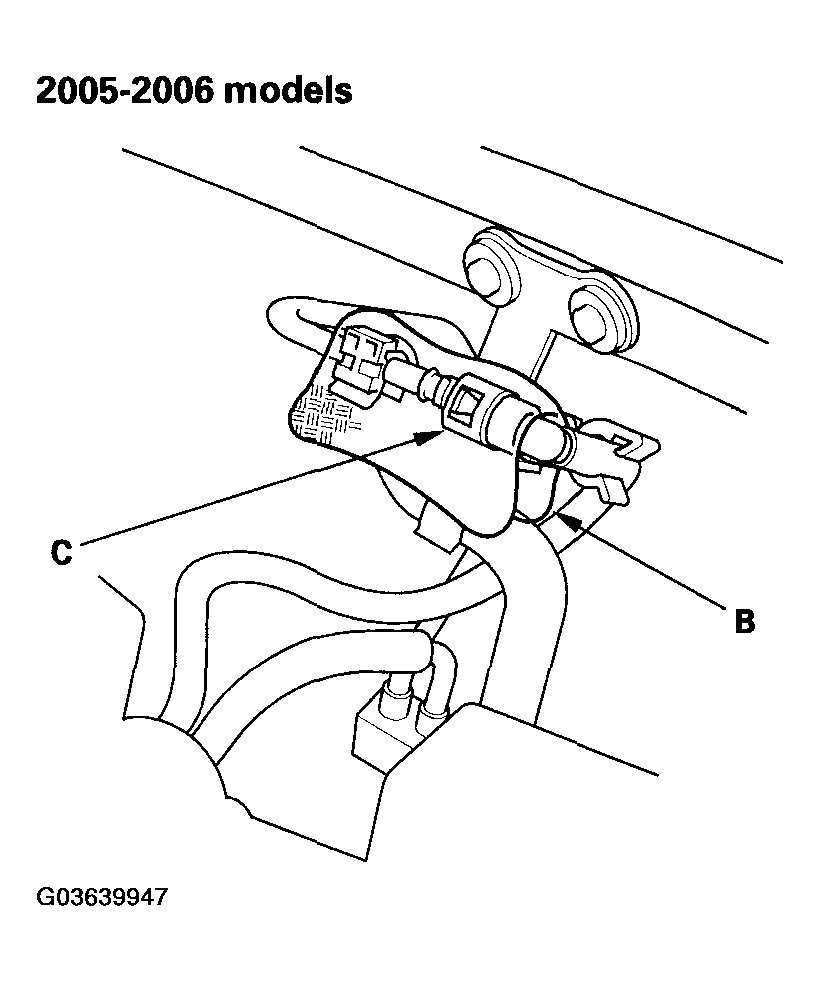
- Place a rag or shop towel (B) over the quick-connect fitting (C).
- Disconnect the quick-connect fitting (see FUEL LINE/QUICK-CONNECT FITTING PRECAUTIONS
).
- After relieving fuel pressure, install the quick-connect fitting (see FUEL LINE/QUICK-CONNECT FITTING INSTALLATION
).
- Reconnect the negative cable to the battery, and do these items: