Rear Accessory Power Socket Test/Replacement
- Remove the center console rear section (see CENTER CONSOLE REAR SECTION REMOVAL/INSTALLATION
).
- Disconnect the 2P connector (A) from the rear accessory power socket (B).
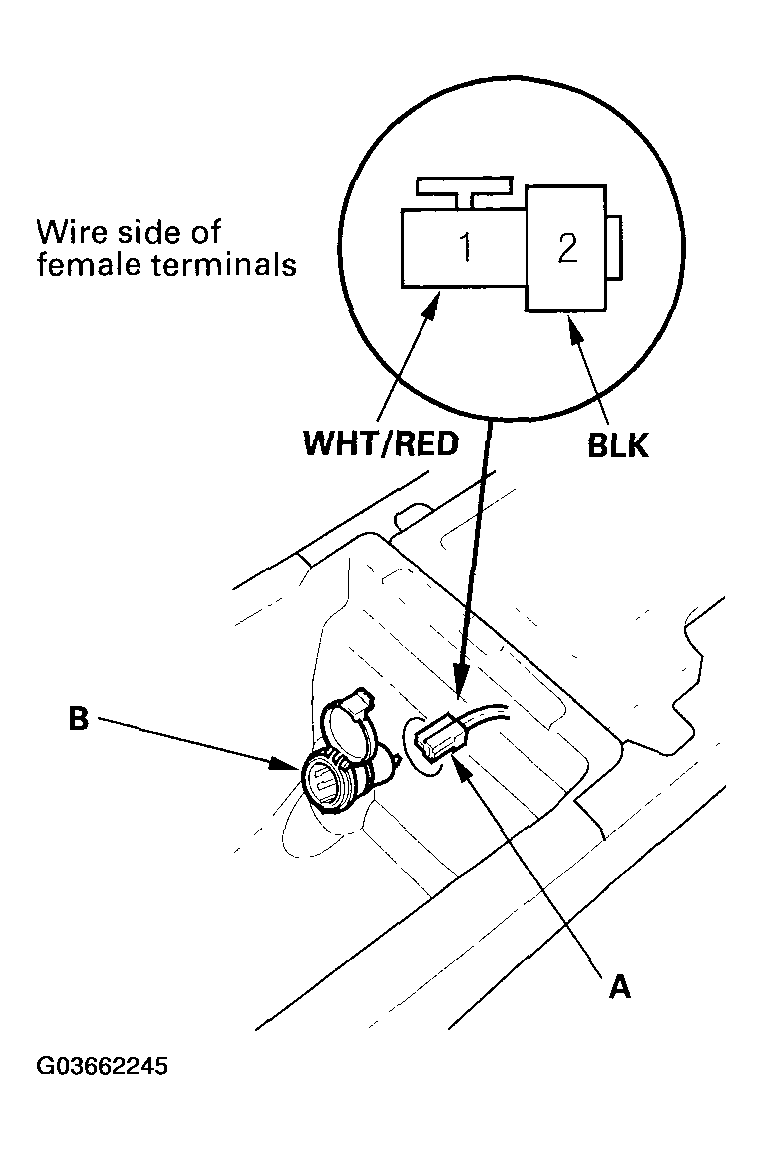 Courtesy of AMERICAN HONDA MOTOR CO., INC.
- Inspect the connector terminals to be sure they are all making good contact.
- If the terminals are bent, loose, or corroded, repair them as necessary, and recheck the system.
- If the terminals look OK, go to step 4.
- Turn the ignition switch to ACC (I), and check for voltage between the No. 1 terminal and body ground. There should be battery voltage.
- If there is battery voltage, go to step 5.
- If there is no battery voltage, check for:
- Blown No. 9 (15 A) or No. 32 (7.5 A) fuse in the under-dash fuse/relay box.
- Faulty accessory power socket relay.
- Poor ground (G503, G601).
- An open in the wire.
- Check for continuity between the No. 2 terminal and body ground. There should be continuity.
- If there is continuity, go to step 6.
- If there is no continuity, check for:
- Poor ground (G503, G601).
- An open in the wire.
- Remove the housing (A) and socket (B).
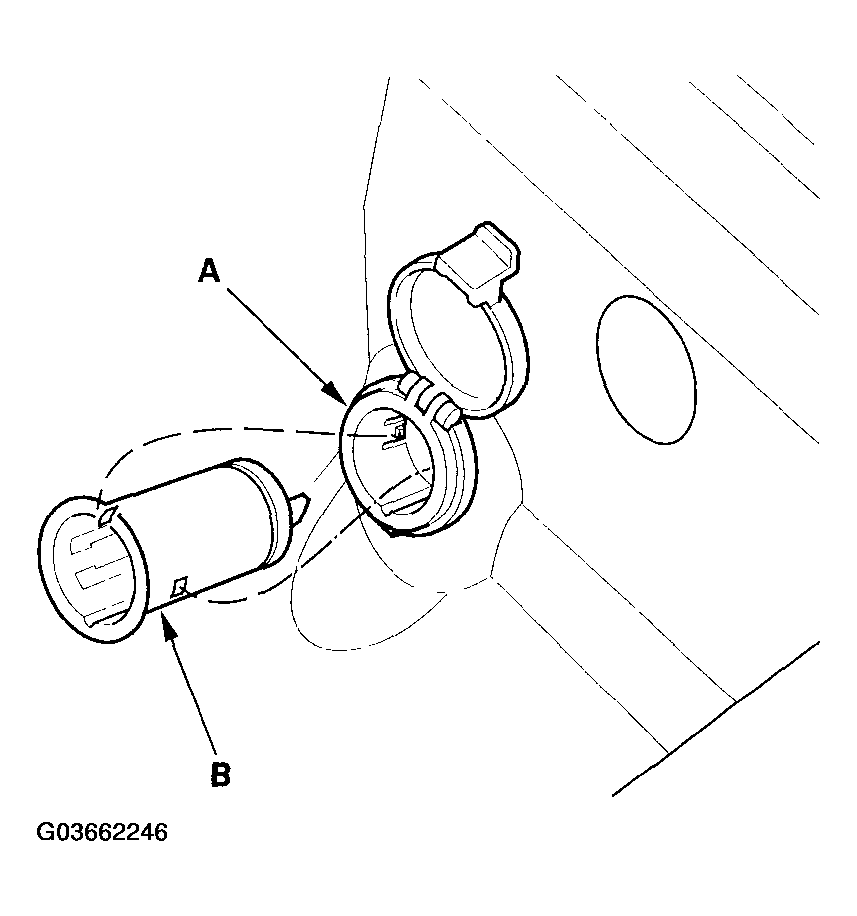 Courtesy of AMERICAN HONDA MOTOR CO., INC.
- Remove the housing (A) from the panel.
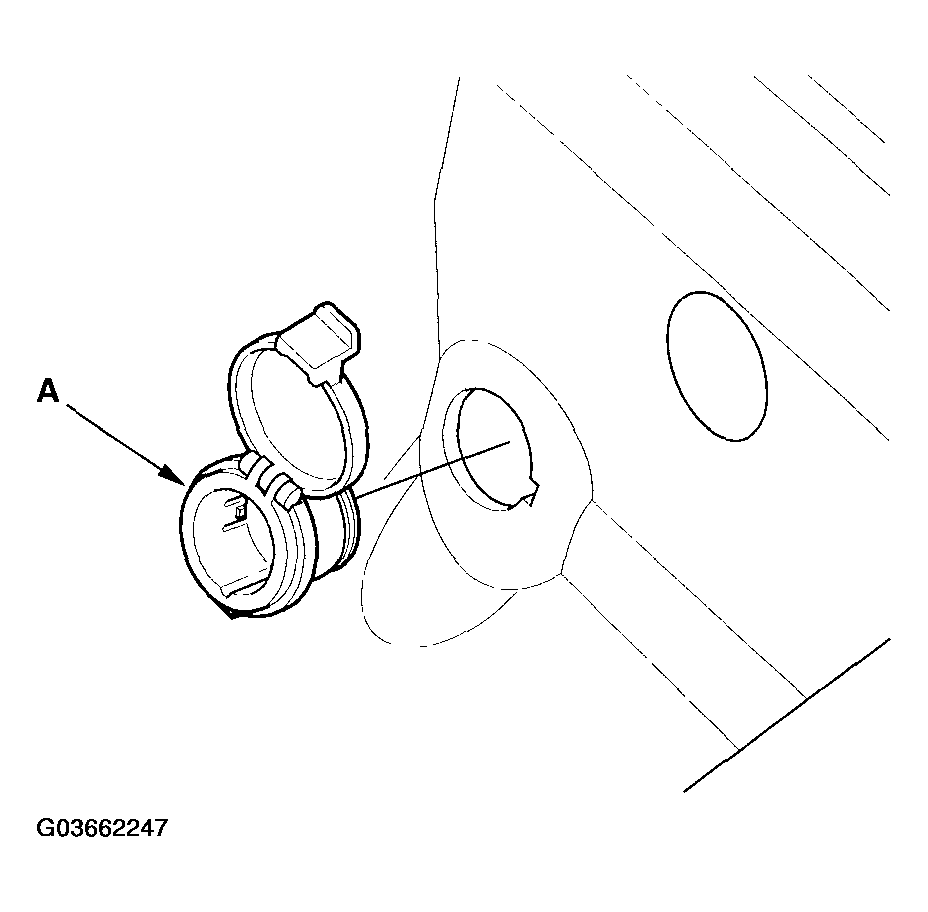 Courtesy of AMERICAN HONDA MOTOR CO., INC.
- Install the power socket in the reverse order of removal.