Installation Procedure
 Courtesy of GENERAL MOTORS COMPANY
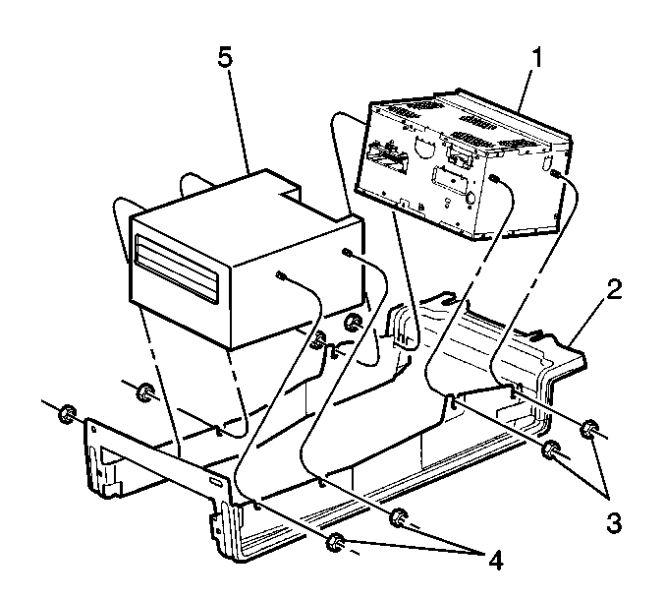
- Install the navigation data processor (5) to the navigation data processor / radio bracket (2)
- Install the fasteners (4). Tighten the fasteners to 5 N.m (44 lb in).
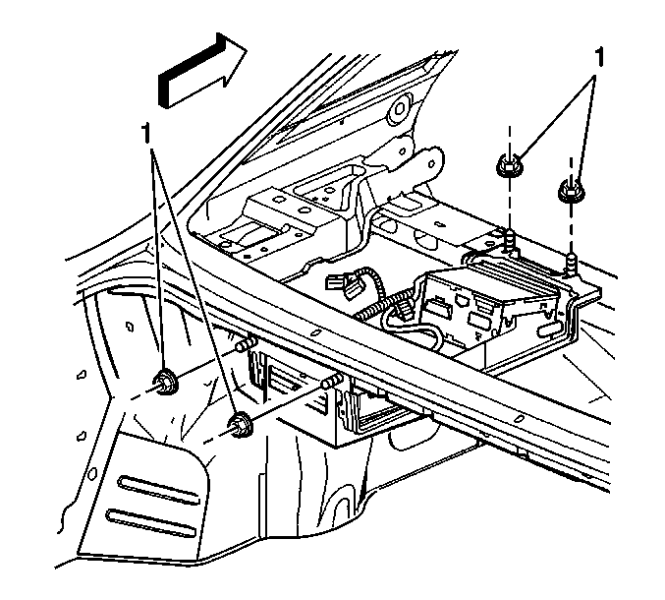
- Install the navigation data processor and the bracket assembly
 Courtesy of GENERAL MOTORS COMPANY
- Install the fasteners (1). Tighten the fasteners to 9 N.m (80 lb in).
 Courtesy of GENERAL MOTORS COMPANY
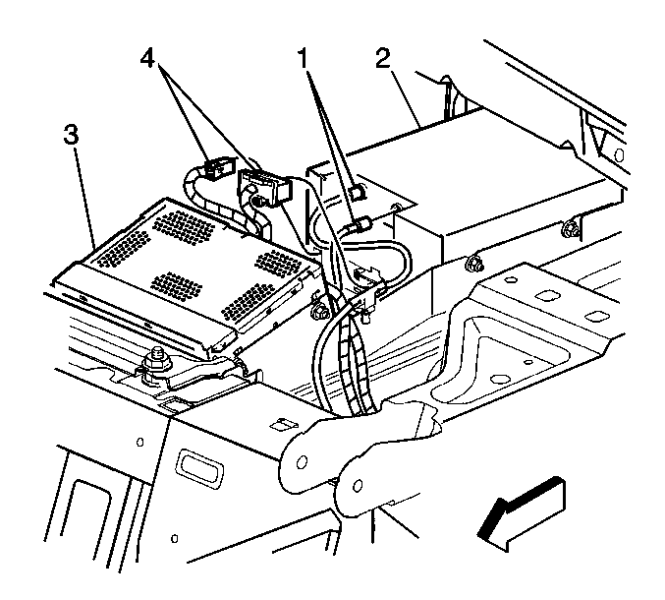
- Connect the navigation data processor (2), and the radio receiver (3) electrical connectors (1, 4).
- Turn ON the ignition, with the engine OFF
- Reinstall the navigation CD
- Turn OFF the ignition.
- Install the rear shelf carrier
- Install the rear shelf trim panel
- Install the upper trunk trim