Case Side Cover: Removal
- Disconnect the negative battery cable. On models with 3.4L engine, remove the throttle body air inlet duct. On models with 3.8L engine, remove air cleaner assembly. On all models, remove the accelerator cable bracket with the accelerator and cruise control cables.
- Remove the transaxle shift cable from the shift lever. See SHIFT CABLE
. Remove the transaxle shift cable bracket bolts and the bracket from the transaxle.
- Disconnect the transaxle wiring harness connector. Remove the top 4 case side cover bolts. See Fig 1
. Install the engine support fixture. See appropriate REMOVAL & INSTALLATION article.
- Raise and support the vehicle. Remove the frame assembly. See appropriate REMOVAL & INSTALLATION article. Remove the left drive axle from the transaxle. See appropriate article in DRIVE AXLES.
- Secure the drive axle to the strut assembly. Lower the vehicle. Using the engine support fixture lower the engine assembly to access the transaxle case side cover. Raise the vehicle.
- Remove the transaxle mount bracket bolts and the bracket from the transaxle. See TRANSAXLE MOUNT
. Position the drain pan under the transaxle.
- Remove the remaining case side cover bolts (56, 57, 58). See Fig 2
. Remove the case side cover (53). Remove the case side cover gasket (54). Remove the case side cover O-ring (59). Clean the side cover gasket mating surfaces.
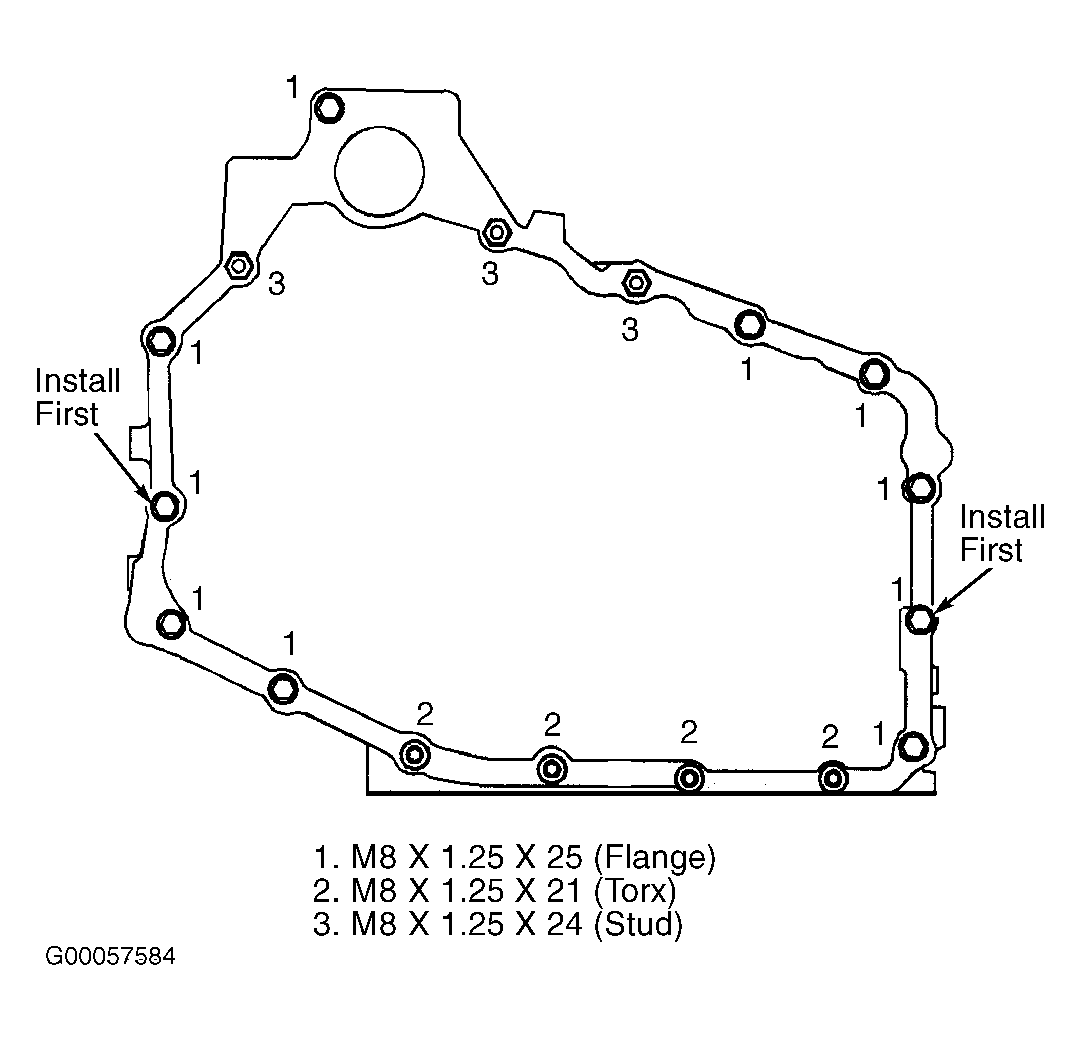 Courtesy of GENERAL MOTORS CORP.
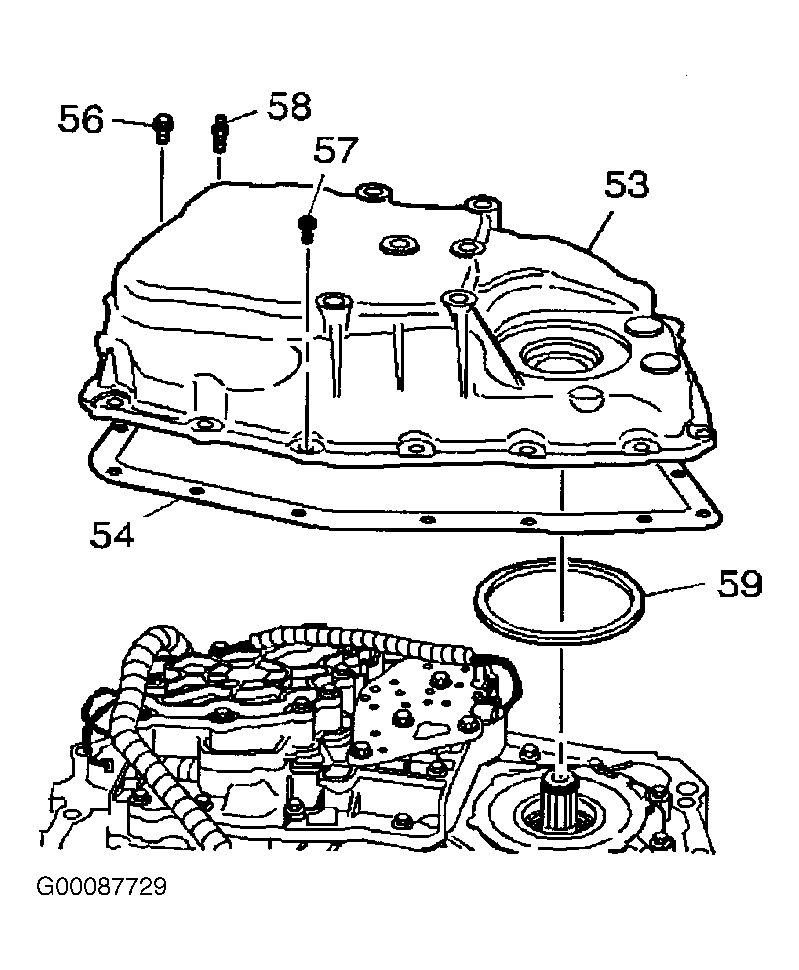 Courtesy of GENERAL MOTORS CORP.