Removal Procedure
- Remove the instrument cluster panel. Refer to Instrument Panel Cluster Trim Plate Bezel Replacement
.
 Courtesy of GENERAL MOTORS COMPANY
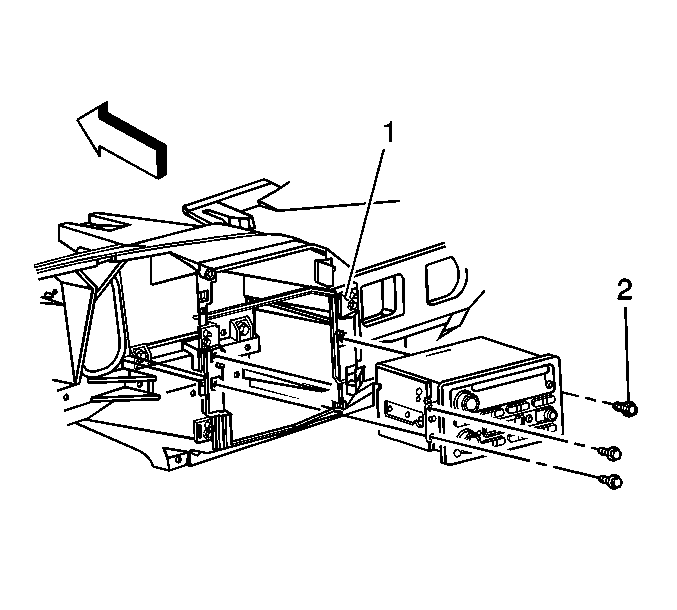
- Remove the screws (2) that secure the radio to the support bracket (1).
- Remove the radio from the support bracket enough to access the connectors at rear of the radio.
- Disconnect the electrical/audio and antenna cable connectors from the radio.
- Remove the radio.
 Courtesy of GENERAL MOTORS COMPANY
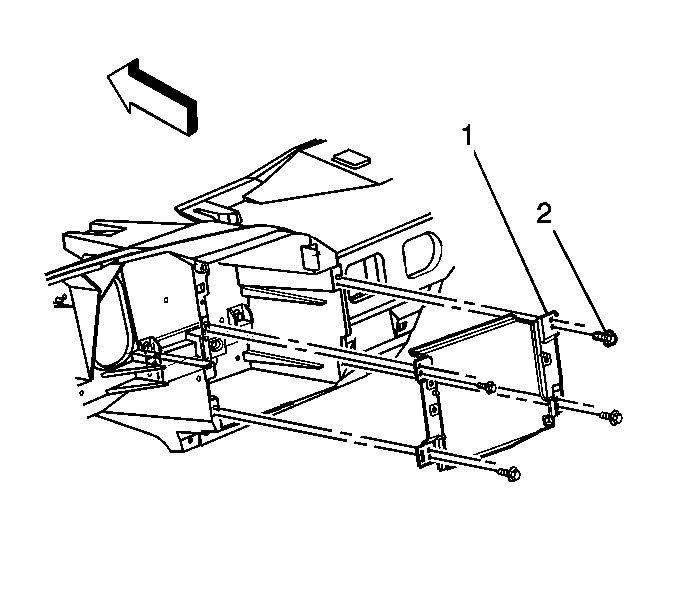
- If removing the radio mounting bracket. Perform the following steps:
- Detach the clip retaining the HVAC harness to the radio mounting bracket.
- Remove the screws (2) retaining the radio mounting bracket (1) to the instrument panel carrier.
- Remove the radio mounting bracket from the vehicle.