SWITCH, Ignition: Installation: Installation
 Courtesy of CHRYSLER LLC
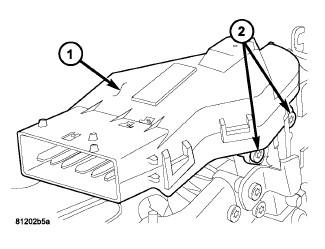
- Before installing ignition switch (1), rotate the slot in the switch to the ON position.
- Connect the electrical connector to rear of the ignition switch. Make sure that locking tabs are fully seated into wiring connector.
- Position switch to column and install the mounting screws (2). Tighten screw to 3 N.m (26 in. lbs.).
 Courtesy of CHRYSLER LLC
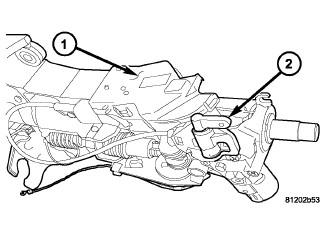
- Install the tilt lever bracket (2) mounting screws. Tighten screws to 4.5 N.m (40 in. lbs.).
- Position the wire retainer into the tilt lever bracket.
- Reconnect the lower clockspring connectors.
 Courtesy of CHRYSLER LLC
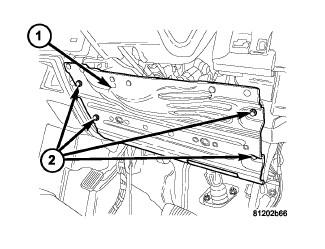
- Install the steering column opening reinforcement (1).
 Courtesy of CHRYSLER LLC
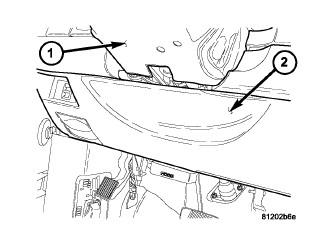
- Install the steering column opening cover (2).
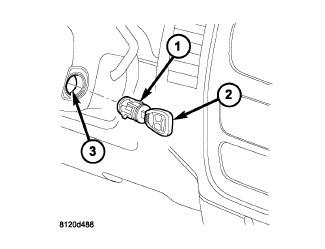 Courtesy of CHRYSLER LLC
- Install the key cylinder (1) with the key (2) in the cylinder (1).
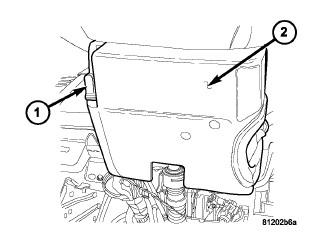 Courtesy of CHRYSLER LLC
- Install steering column upper and lower shrouds (2).
- Install the tilt lever knob (1).
- Enable the airbag system. Refer to Restraints/AIR BAG, Driver - Installation
.