Test C: Generic Electronic Module Does Not Respond To NGS Tester
- Turn ignition switch to LOCK position. Disconnect Generic Electronic Module (GEM) 26-pin harness connector C201a. See Figure
for location. Inspect connector for physical damage, bent terminals or corrosion. If connector is okay, go to next step. If connector is not okay, repair connector as necessary. Retest system for normal operation.
- Measure resistance of Light Blue/White wire between GEM harness connector C201a terminal No. 25 and DLC terminal No. 7. See Figure
and Fig 1
. If resistance is less than 5 ohms, go to next step. If resistance is 5 ohms or more, repair open in Light Blue/White wire. Retest system for normal operation.
- Disconnect all GEM harness connectors. Inspect for corrosion or pushed out pins. Connect all GEM harness connectors. Operate system and verify if concern still exists. If concern still exists, replace GEM. If concern does not exist, system is operating correctly at this time. Concern may have been caused by a loose or corroded connector.
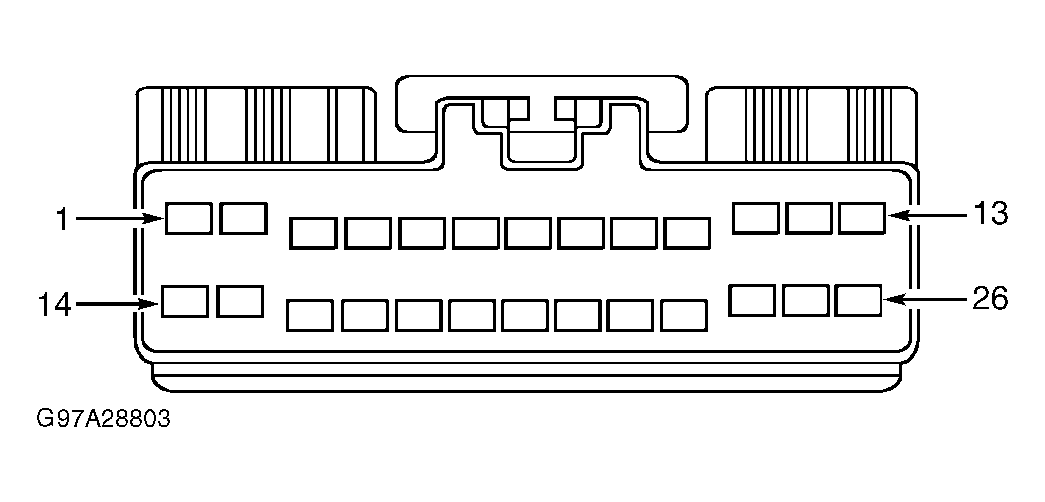 Courtesy of FORD MOTOR CO.