Communication Check
- Verify the customer concern by applying the brakes under different conditions.
- Visually inspect for obvious signs of mechanical and electrical damage.
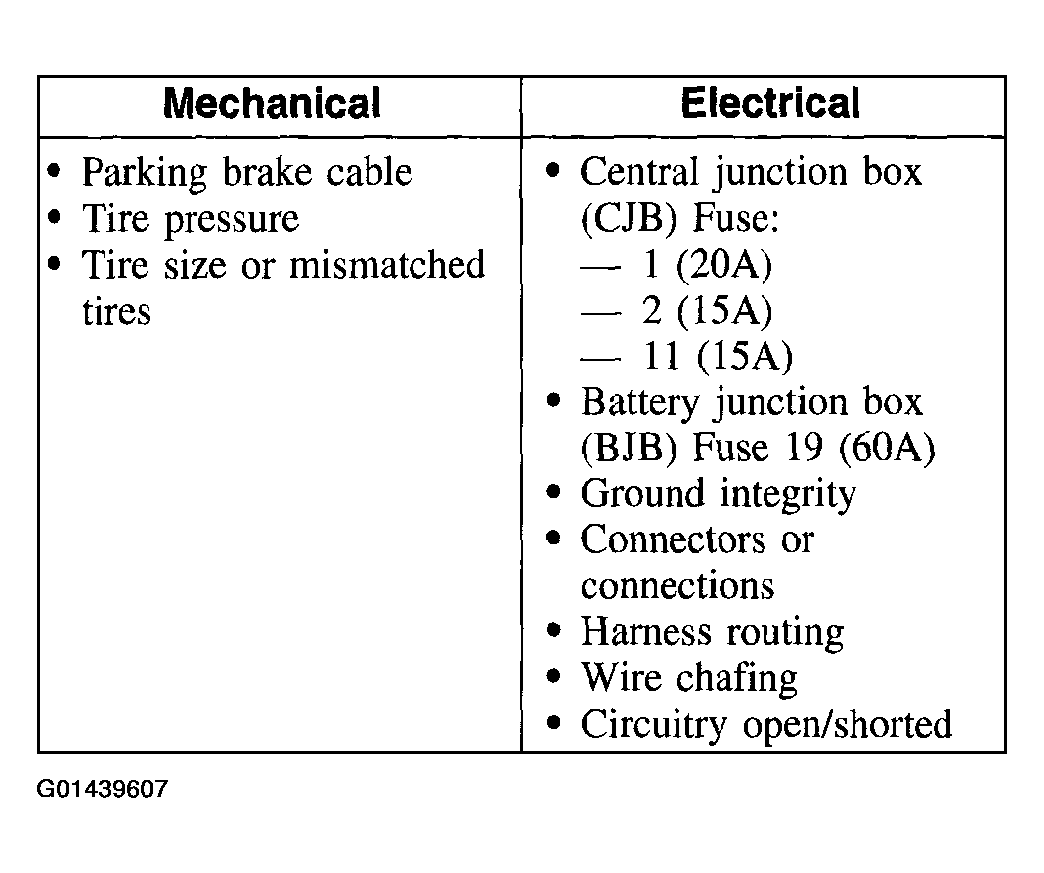 Courtesy of FORD MOTOR CO.
- If the fault is not visually evident, connect New Generation STAR (NGS) Tester to the data link connector (DLC) located beneath the instrument panel and select the vehicle to be tested from the NGS menu. If the NGS does not communicate with the vehicle:
- Check that the program card is correctly installed.
- Check the connections to the vehicle.
- Check the ignition switch position.
- If the NGS still does not communicate with the vehicle, refer to the New Generation STAR Tester manual.
- Carry out the DATA LINK DIAGNOSTIC TEST. If the NGS responds with:
- CKT914, CKT915, or CKT70 = ALL ECUS NO RESP/NOT EQUIP, refer to MODULE COMMUNICATIONS NETWORK
.
- NO RESP/NOT EQUIP for anti-lock brake control module, GO to PINPOINT TEST A .
- SYSTEM PASSED, retrieve and record the continuous diagnostic trouble codes (DTCs), erase the continuous DTCs and carry out self-test diagnostics for the anti-lock brake control module.
- If the DTCs retrieved are related to the concern, go to ANTI-LOCK BRAKE CONTROL MODULE DIAGNOSTIC TROUBLE CODE (DTC) INDEX to continue diagnostics.
- If no DTCs related to the concern are retrieved, GO to SYMPTOM CHART .