Compass Zone Adjustment
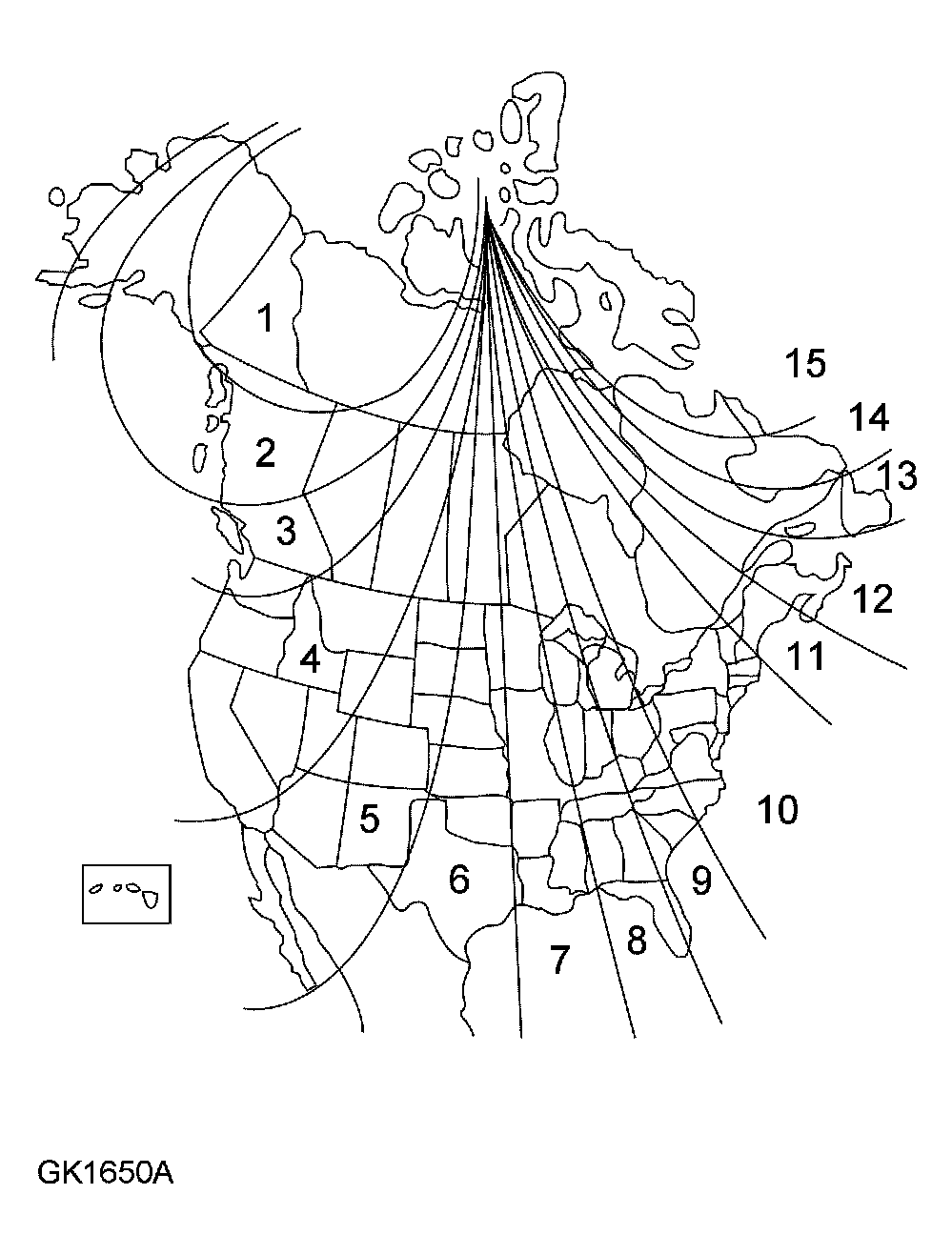 Courtesy of FORD MOTOR CO.
- The zone setting is factory set to Zone 8. Check the Compass Calibration Zone map to verify the correct compass zone setting for your geographic location.
- Gently press both buttons for 3 to 4 seconds until ZONE is displayed.
- Release the switches. Zone and the current zone setting will be displayed.
- Press either switch to cycle through all possible zone settings. Stop cycling when the correct zone setting for your location is displayed.
- Release the switch to exit the zone setting mode. After 5 seconds of no button activity, the module will store the current zone and leave the mode.