FixVault
Home
›
Ford
›
2021
›
Mustang Mach 1, Automatic Trans
›
Repair and Diagnosis
›
Accessories & Equipment
›
Warning Systems
›
Lane Keeping System
›
Removal And Installation
›
Image Processing Module A (IPMA)
›
Removal
Image Processing Module A (IPMA): Removal
If a new IPMA is being installed, using a diagnostic scan tool, begin the PMI process for the IPMA following the on-screen instructions.
Release the clips and remove the IPMA cover.
Courtesy of FORD MOTOR COMPANY
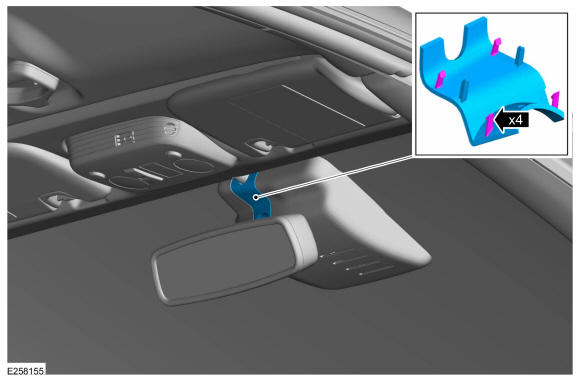
Remove the clips and the IPMA cover.
Courtesy of FORD MOTOR COMPANY
Disconnect the electrical connector.
Courtesy of FORD MOTOR COMPANY
Release the tabs, remove the IPMA.
Courtesy of FORD MOTOR COMPANY
 Courtesy of FORD MOTOR COMPANY