Safety Indicator Input Test
- Remove the gauge assembly (see Gauge Assembly Replacement
).
- Disconnect the 14P connector A and 22P connector B from the gauge assembly.
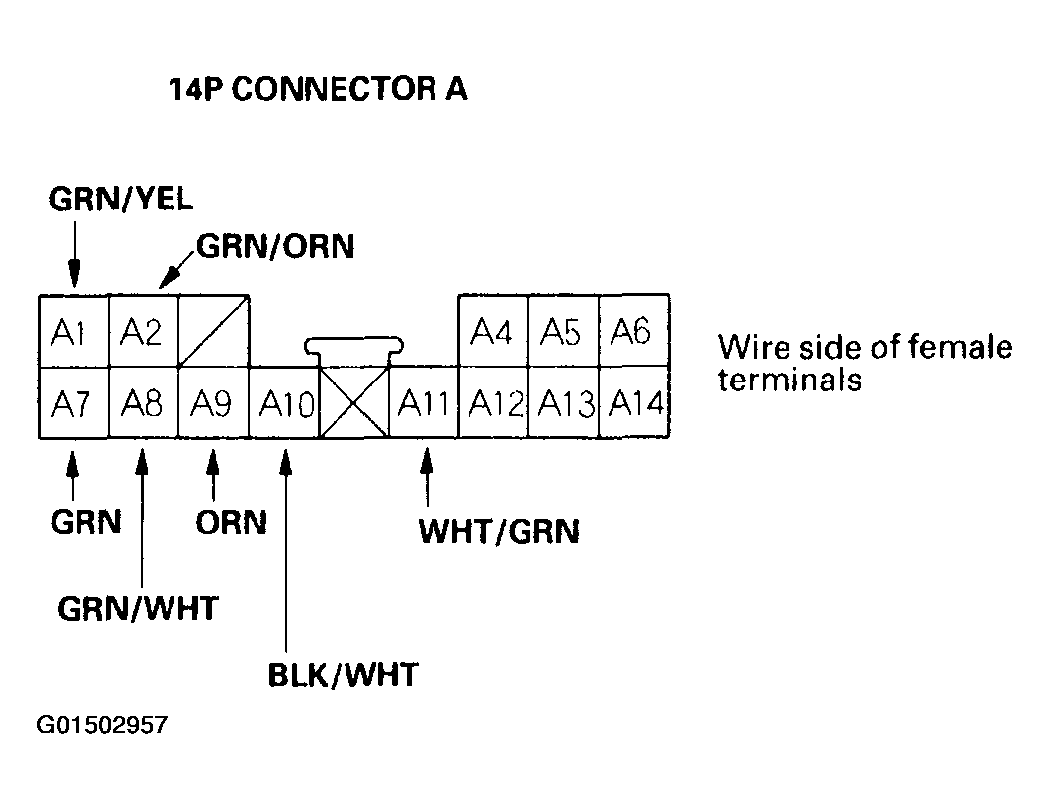 Courtesy of AMERICAN HONDA MOTOR CO., INC.
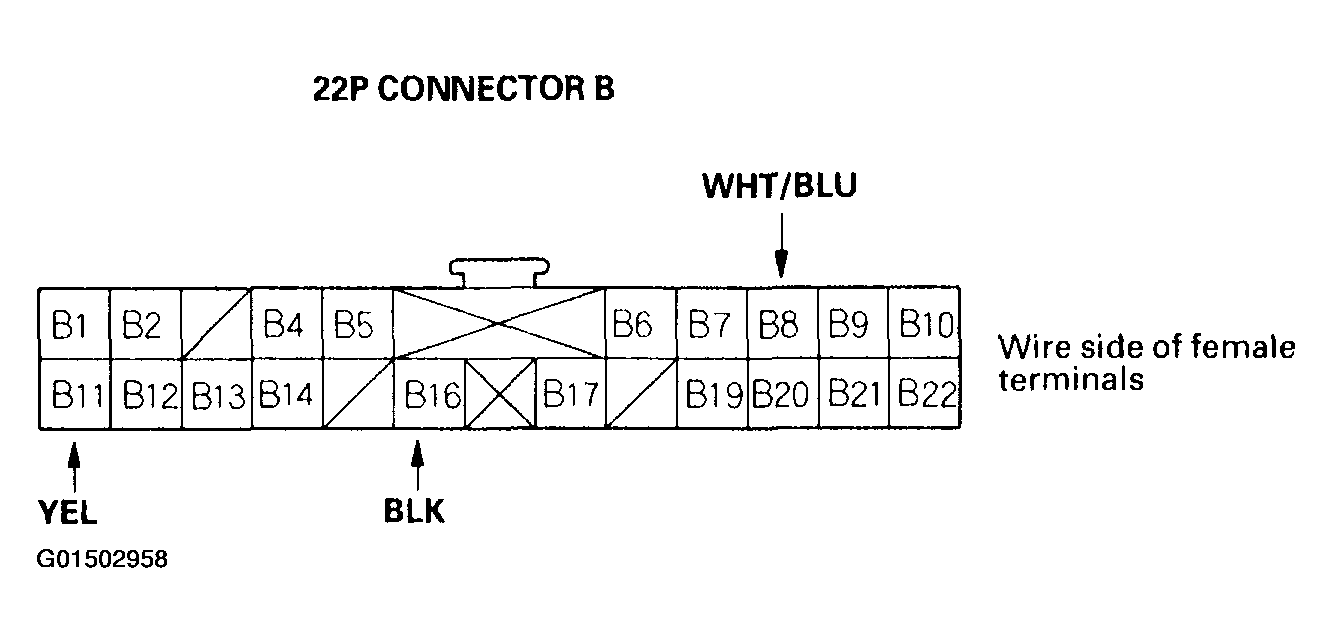 Courtesy of AMERICAN HONDA MOTOR CO., INC.
- Inspect the connector and socket terminals to be sure they are all making good contact.
- If the terminals are bent, loose or corroded, repair them as necessary, and recheck the system.
- If the terminals look OK, go to step 4.
- With the connectors still disconnected, make these input tests at the connectors.
- If the test indicates a problem, find and correct the cause, then recheck the system.
- If the input test proves OK, go to step 5.
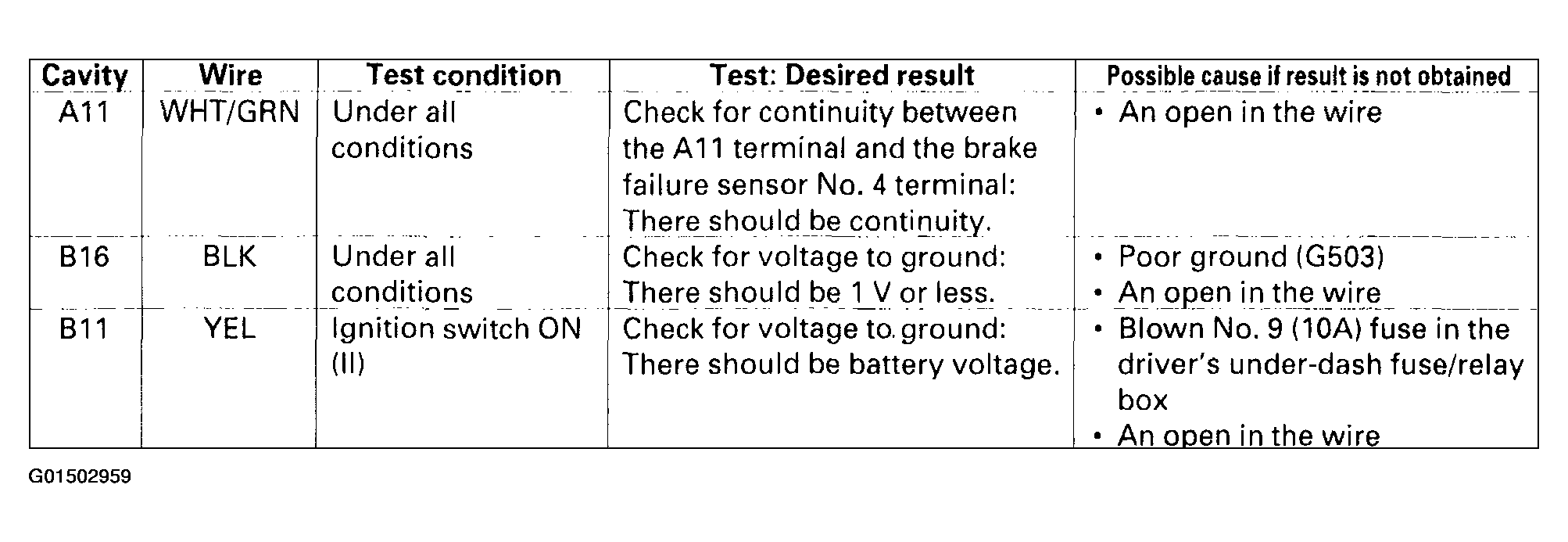 Courtesy of AMERICAN HONDA MOTOR CO., INC.
- Reconnect the connectors to the gauge assembly, and perform the following inputs tests at the appropriate connector.
- If any test indicates a problem, find and correct the cause, and recheck the system.
- If all the input tests prove OK, the gauge internal circuit must be faulty; replace the gauge assembly.
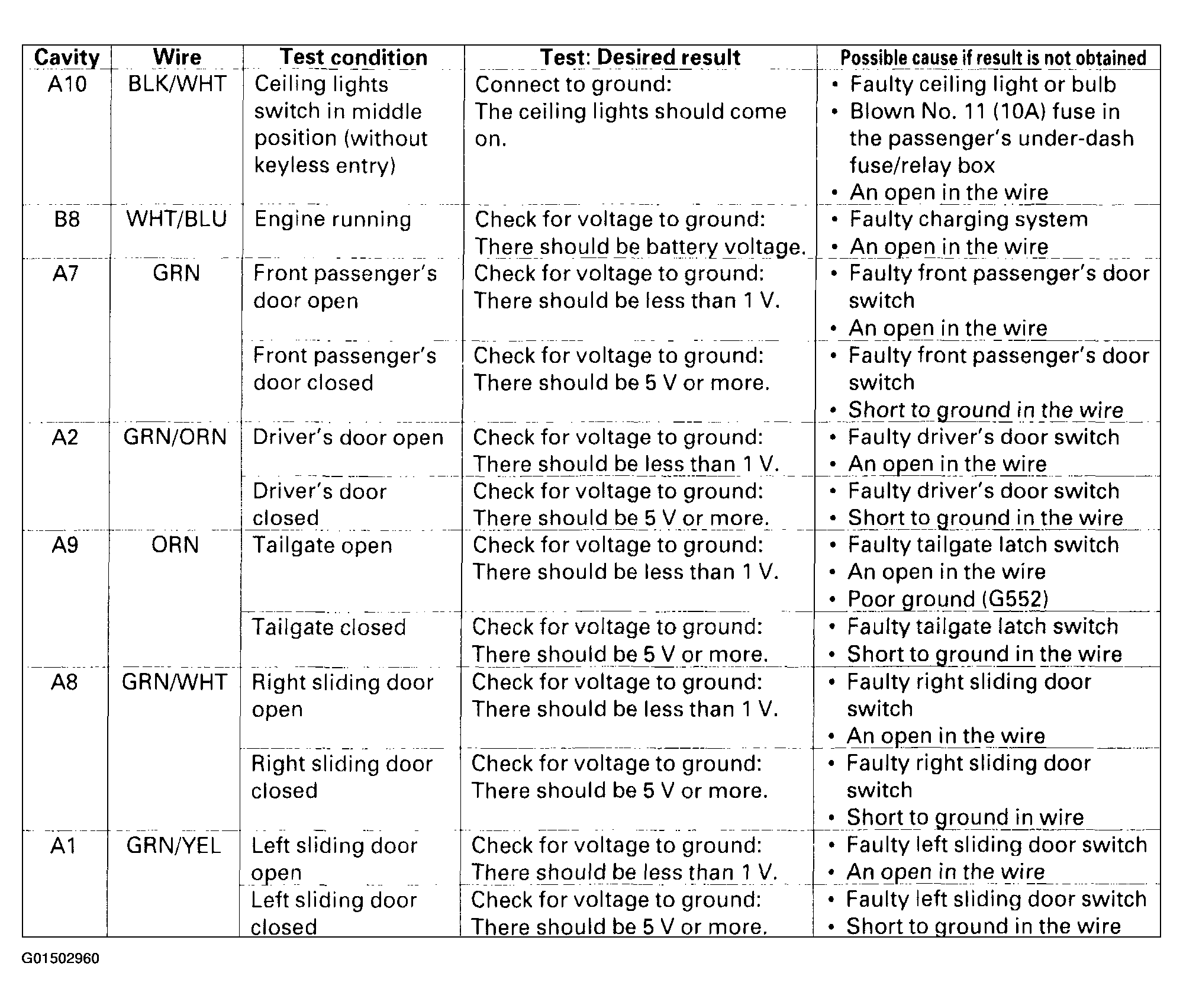 Courtesy of AMERICAN HONDA MOTOR CO., INC.