Disassembly and Assembly: Disassembly
- Remove console lid assembly.
- Open the console lid.
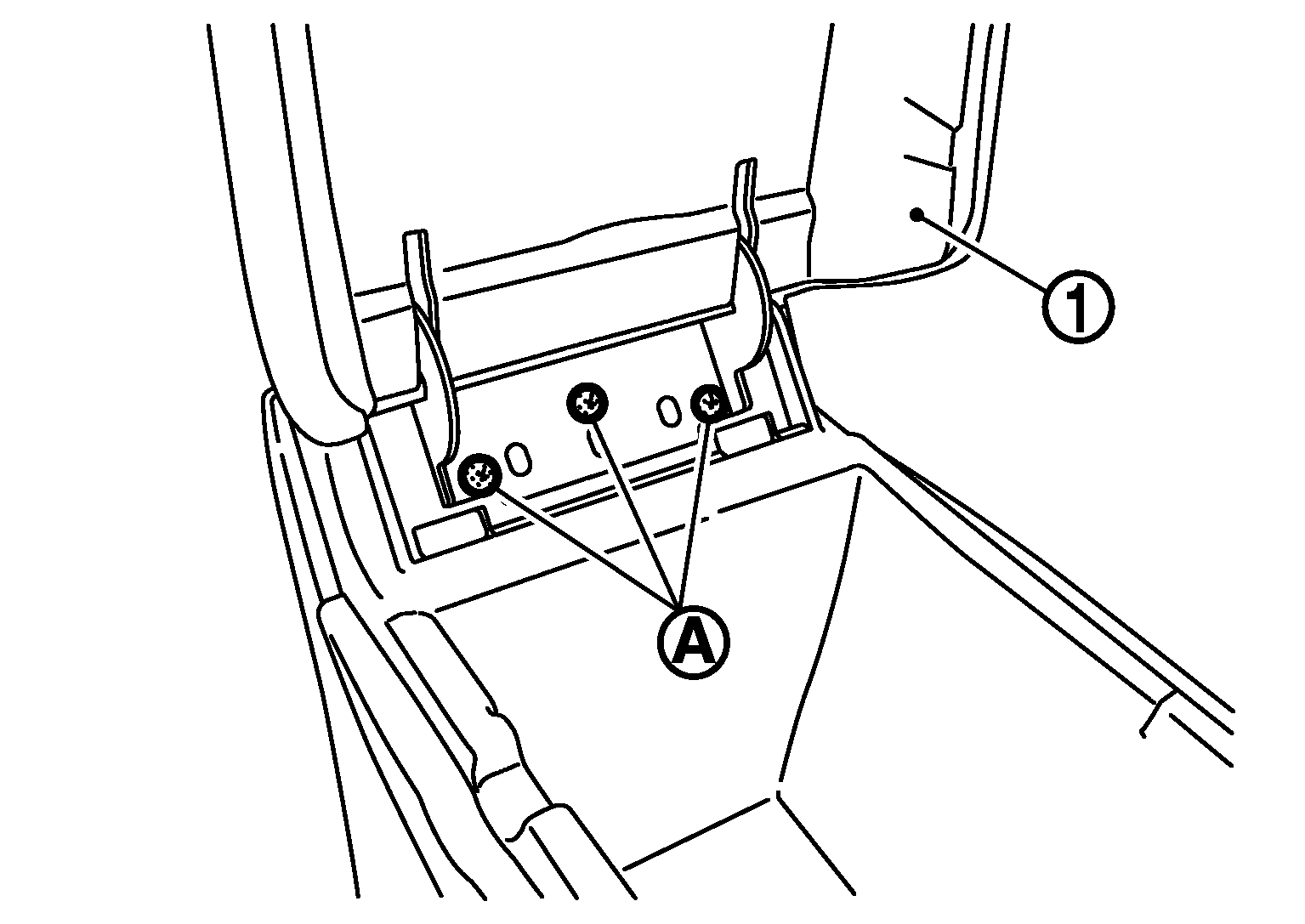
- From the back of the center console, push the pawls forward to remove the console mask (1).
 Courtesy of NISSAN MOTOR CO., U.S.A.
- Remove console lid assembly (1) fixing screws (A), and then remove console lid assembly.
 Courtesy of NISSAN MOTOR CO., U.S.A.
- Remove console pocket.
- Reverse a center console assembly.
- Remove console sub harness.
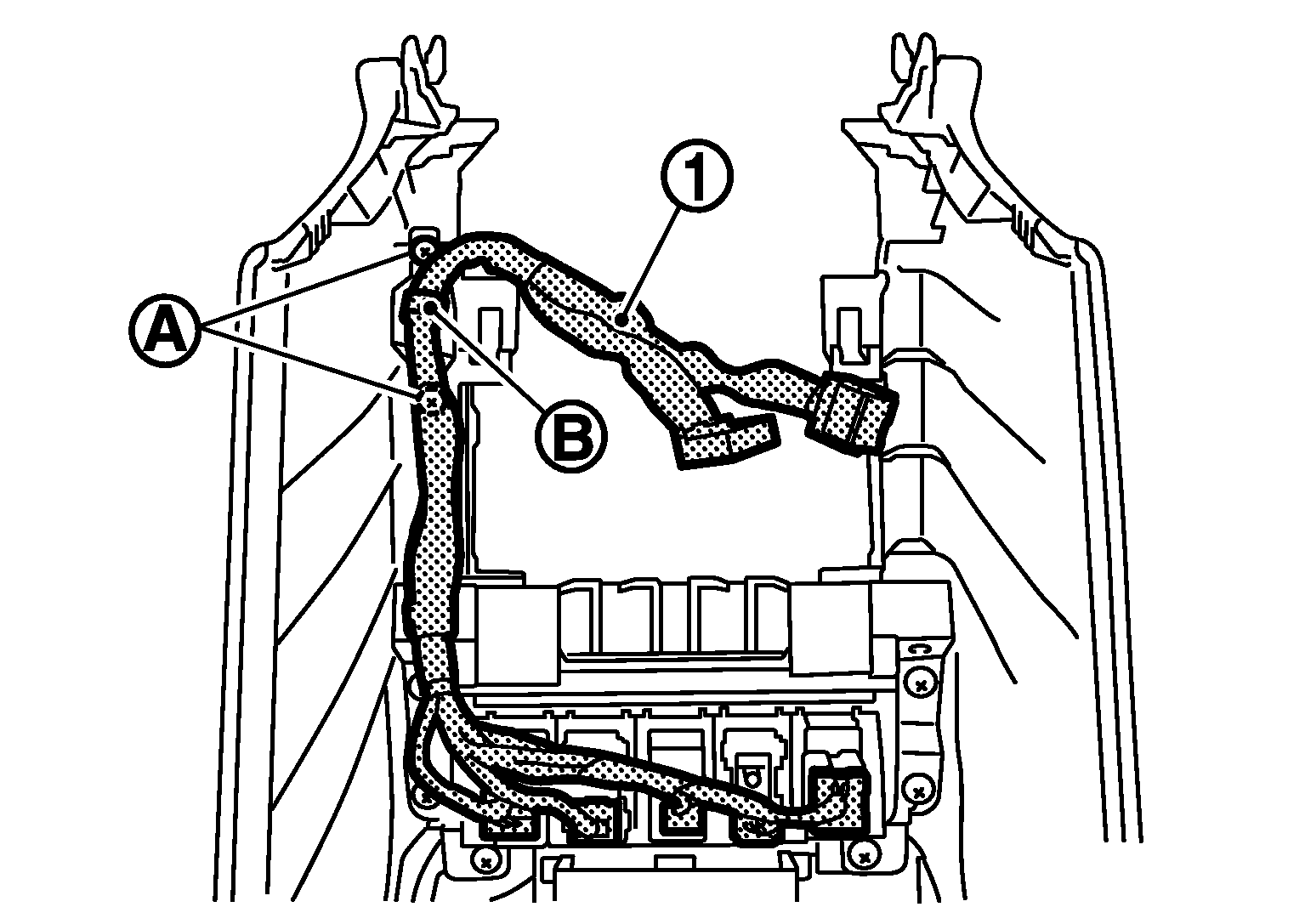
- Remove console sub harness (1) fixing screws (A).
- Remove console sub harness fixing clip (B).
- Disconnect switch connectors.
 Courtesy of NISSAN MOTOR CO., U.S.A.
- Remove switch panel.
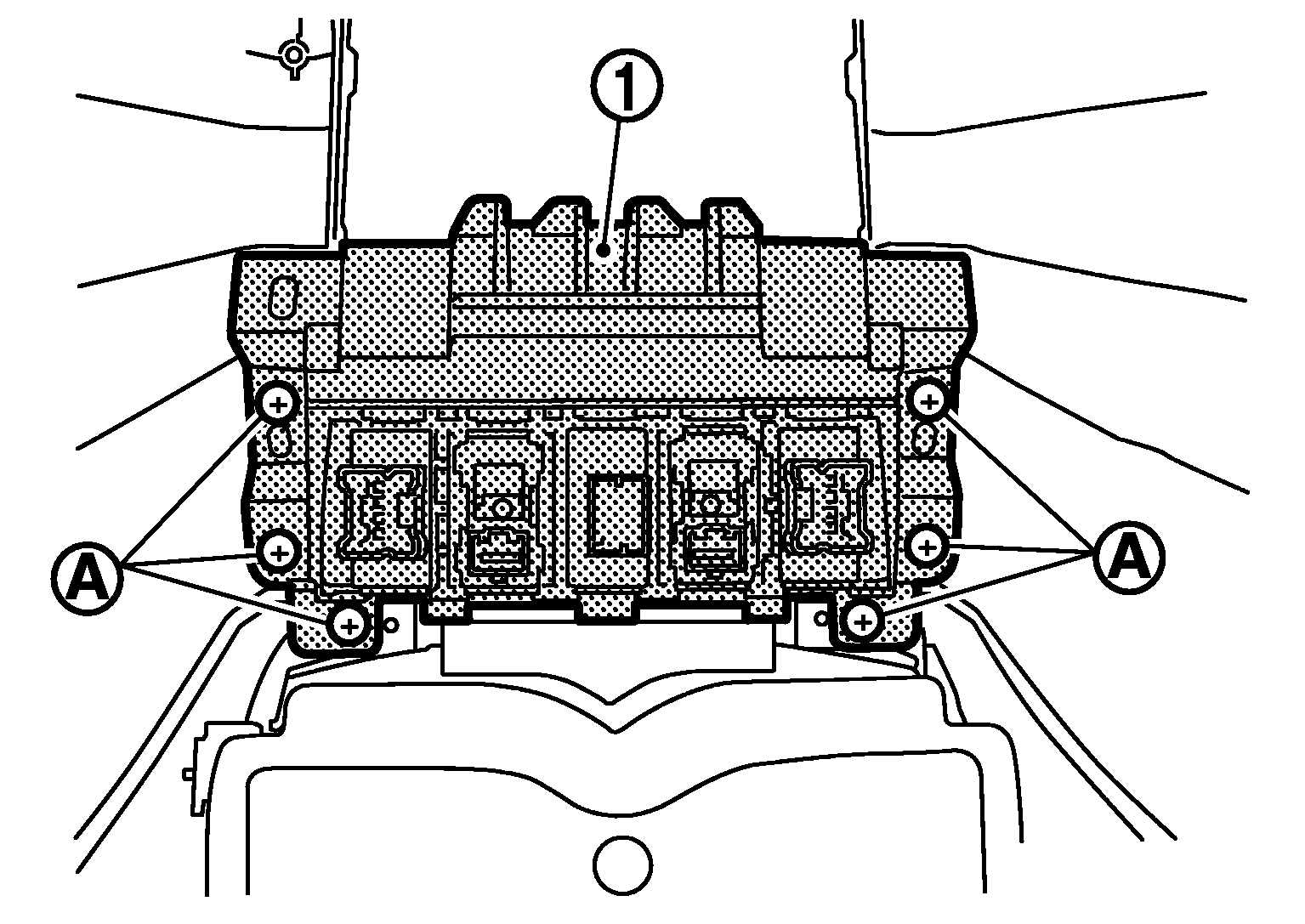
- Remove switch panel (1) fixing screws (A).
- Pull up switch panel.
 Courtesy of NISSAN MOTOR CO., U.S.A.
- Remove console center bracket.
- Remove console center bracket (1) fixing screws (A).
- Pull up console center bracket.
 Courtesy of NISSAN MOTOR CO., U.S.A.
- Remove console pad LH.
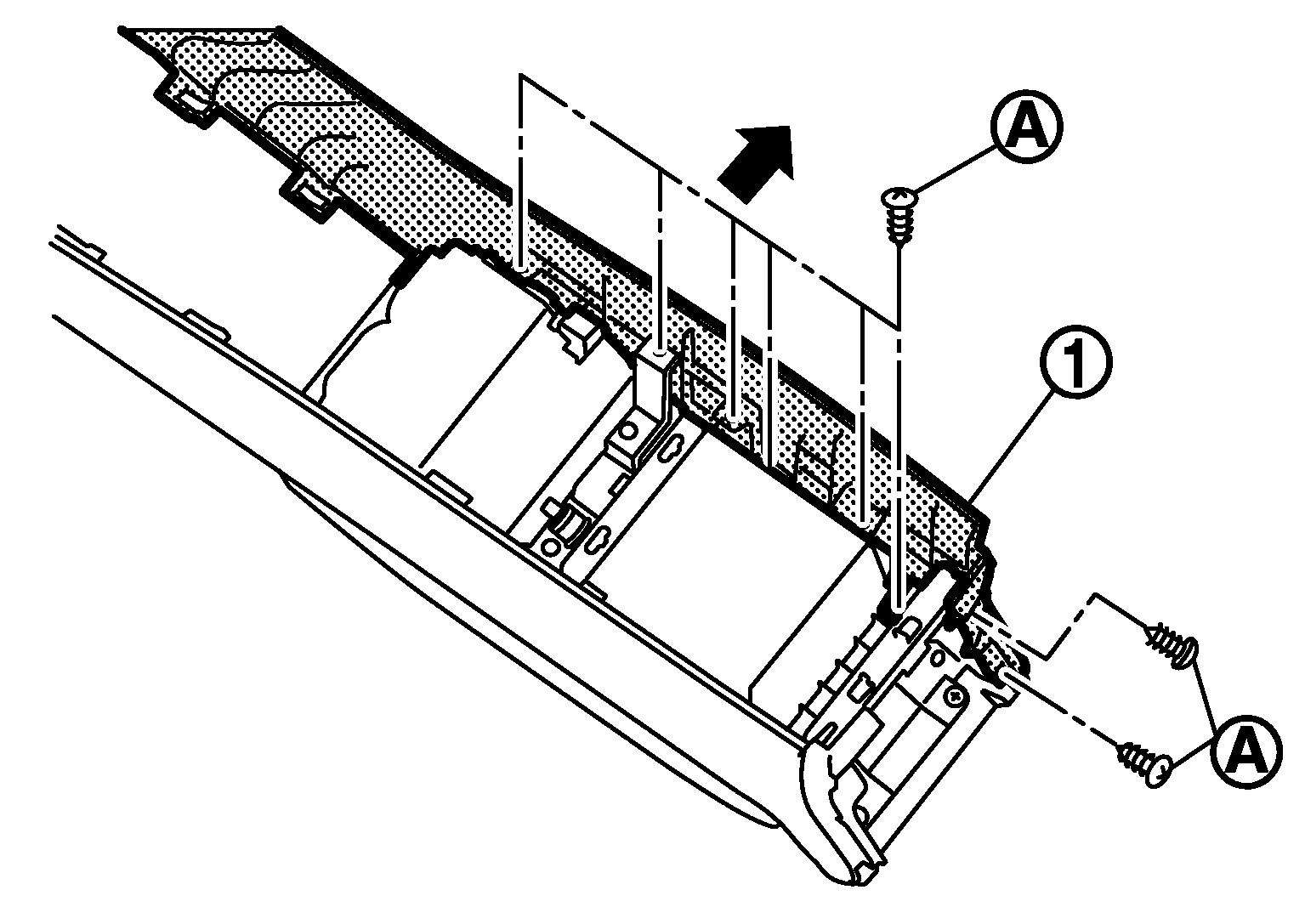
- Remove console pad LH (1) fixing screws (A).
- Pull the console pad LH crosswise.
 Courtesy of NISSAN MOTOR CO., U.S.A.
- Remove console pad RH.
- Remove console pad RH (1) fixing screws (A).
- Pull the console pad RH crosswise.
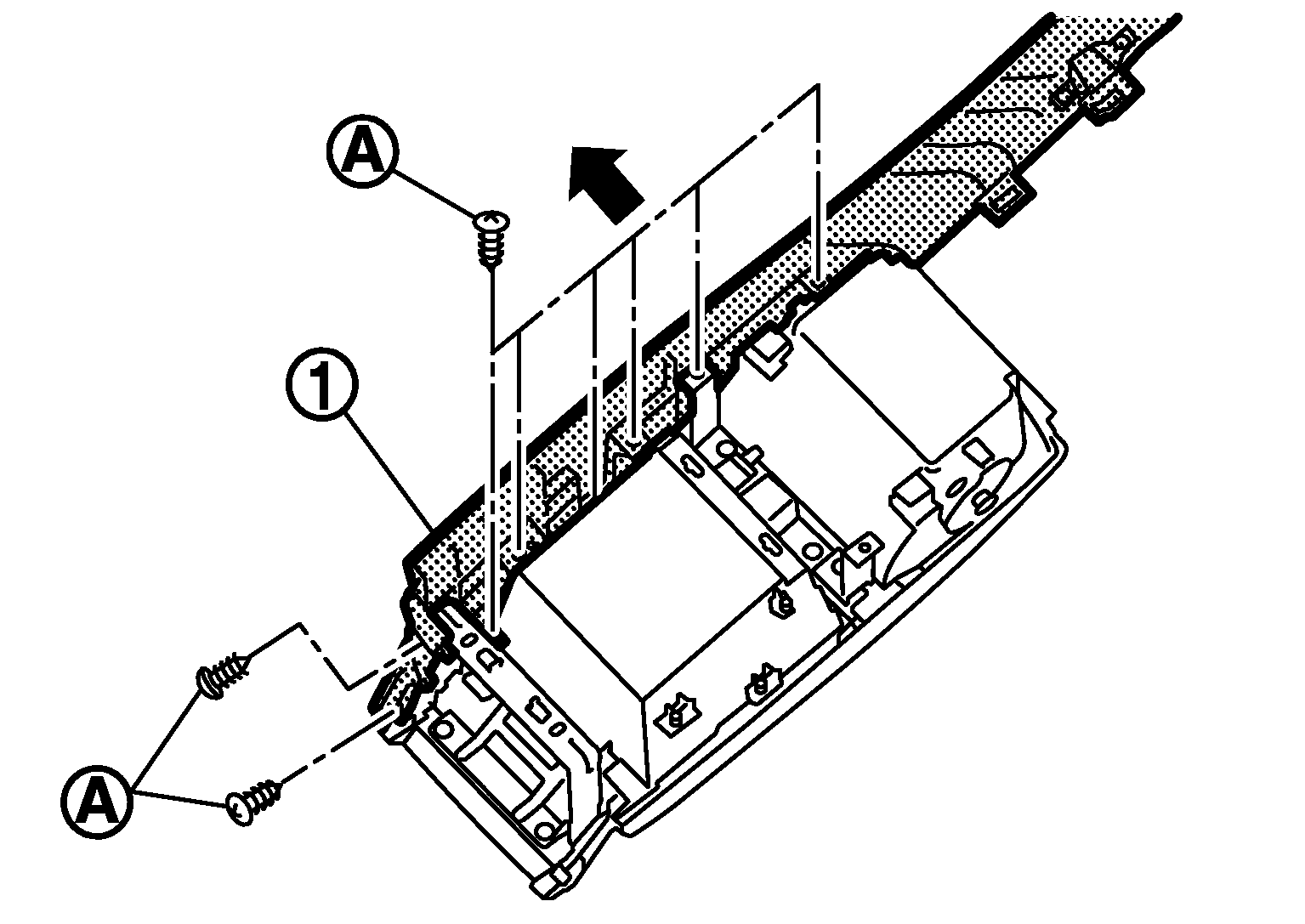 Courtesy of NISSAN MOTOR CO., U.S.A.
- Remove cup holder assembly.
- Remove cup holder assembly (1) fixing screws (A).
- Pull up cup holder assembly.
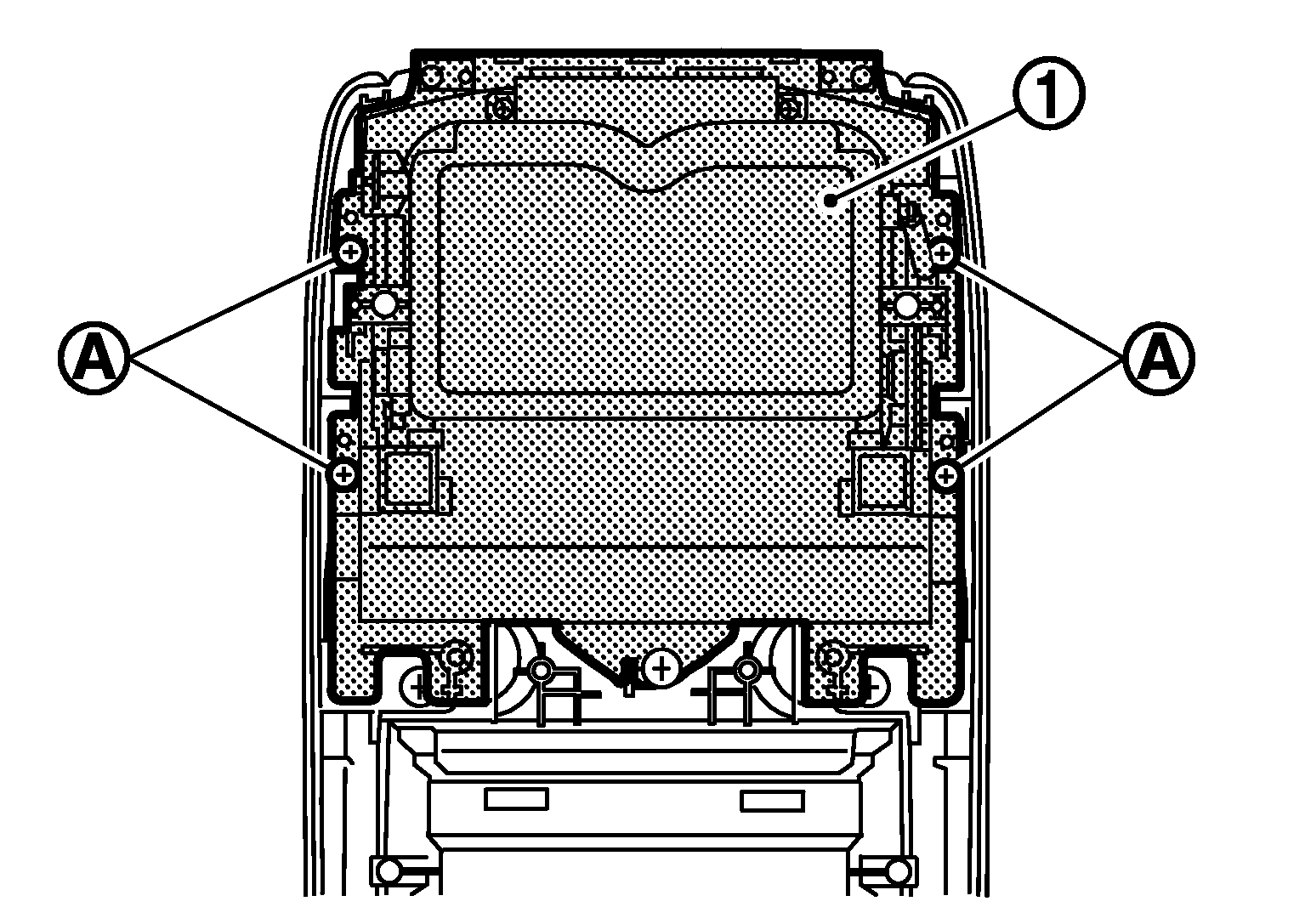 Courtesy of NISSAN MOTOR CO., U.S.A.
- Remove console lid release button.
- Remove console lid release button (1) fixing screws (A).
- Pull toward the arrow direction.
 Courtesy of NISSAN MOTOR CO., U.S.A.
- Remove console upper bracket.
- Remove console upper bracket (1) fixing screws (A).
- Pull up console upper bracket.
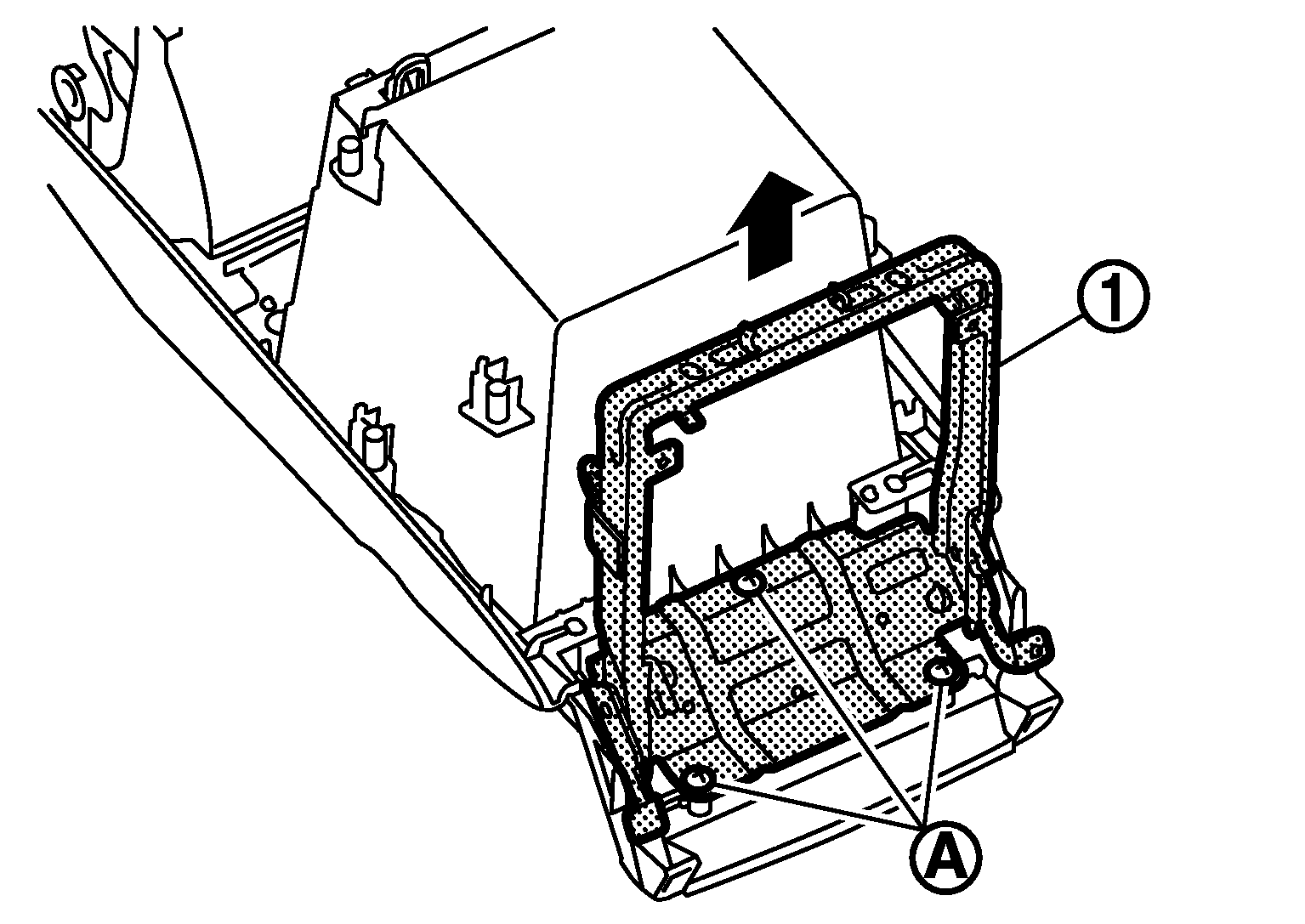 Courtesy of NISSAN MOTOR CO., U.S.A.