INA Decoupler
- Disconnect negative battery cable.
- Remove generator and accessory drive belt. Refer to REMOVAL .
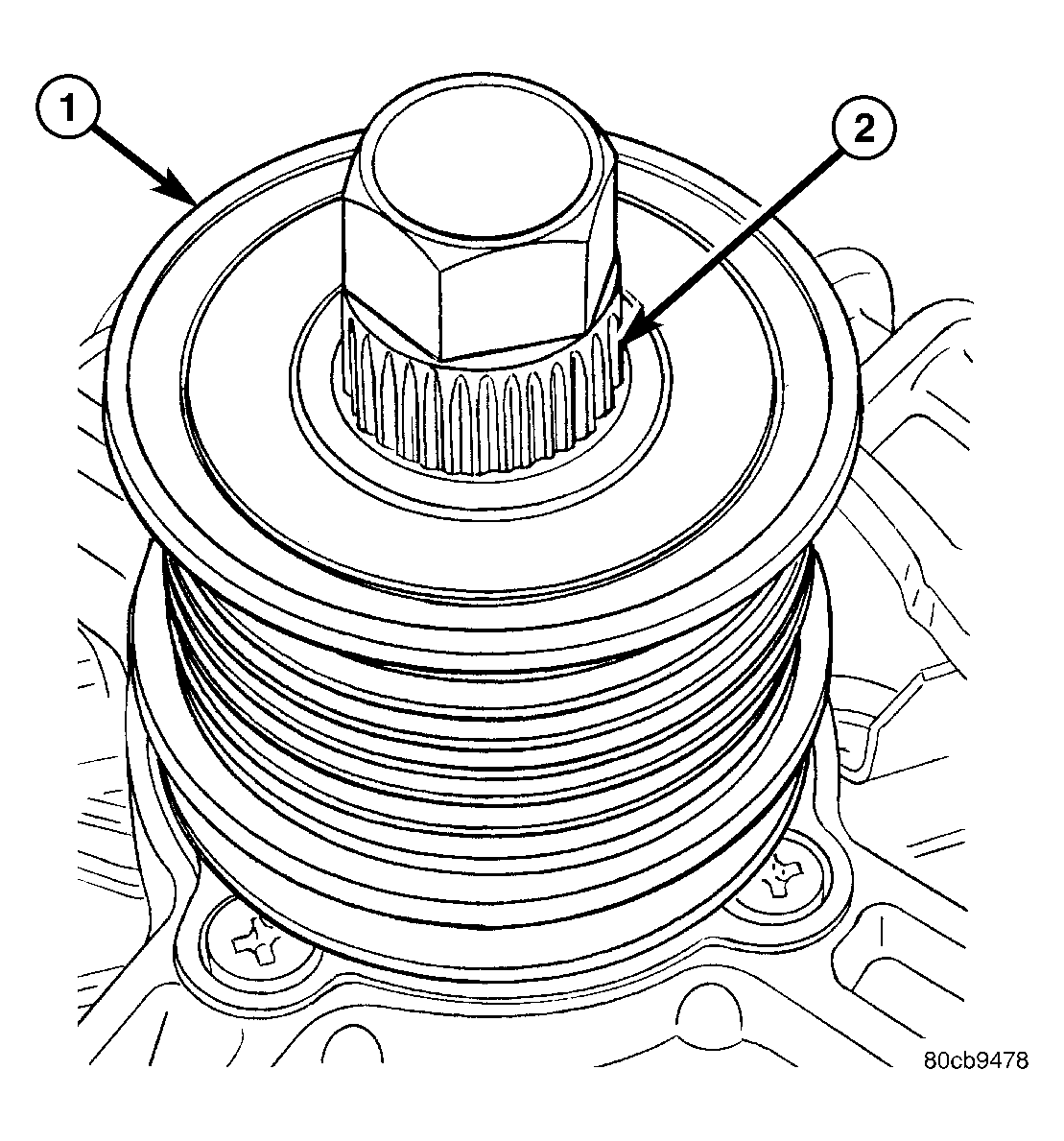 Courtesy of CHRYSLER LLC
| 1 - INA DECOUPLER |
| 2 - TOOL #8823 (VM.1048) |
- Position Special Tool #8823 (VM.1048) (2) into decoupler (1). See Fig 1.
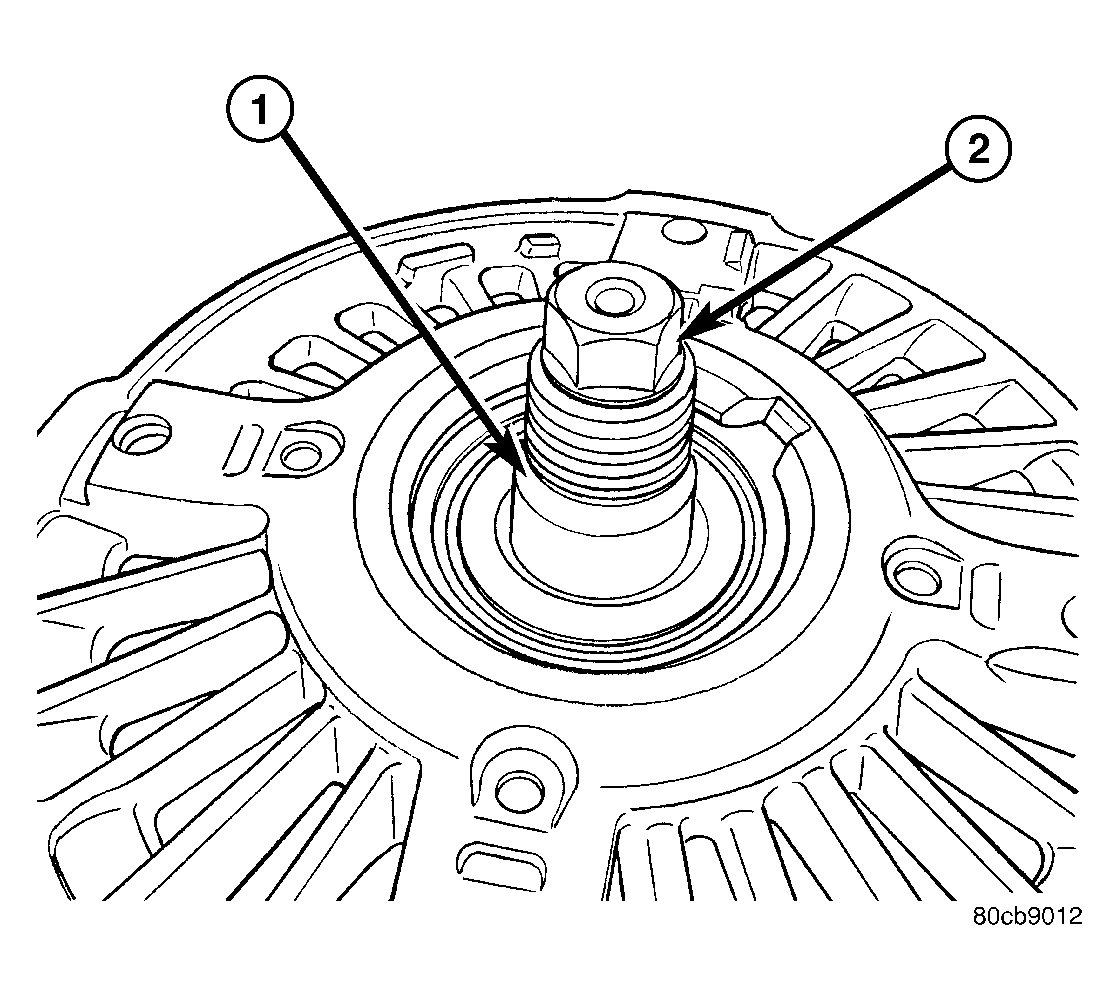 Courtesy of CHRYSLER LLC
| 1 - GENERATOR SHAFT |
| 2 - HEX |
- Determine if end of generator shaft is hex shaped (2). See Fig 2.
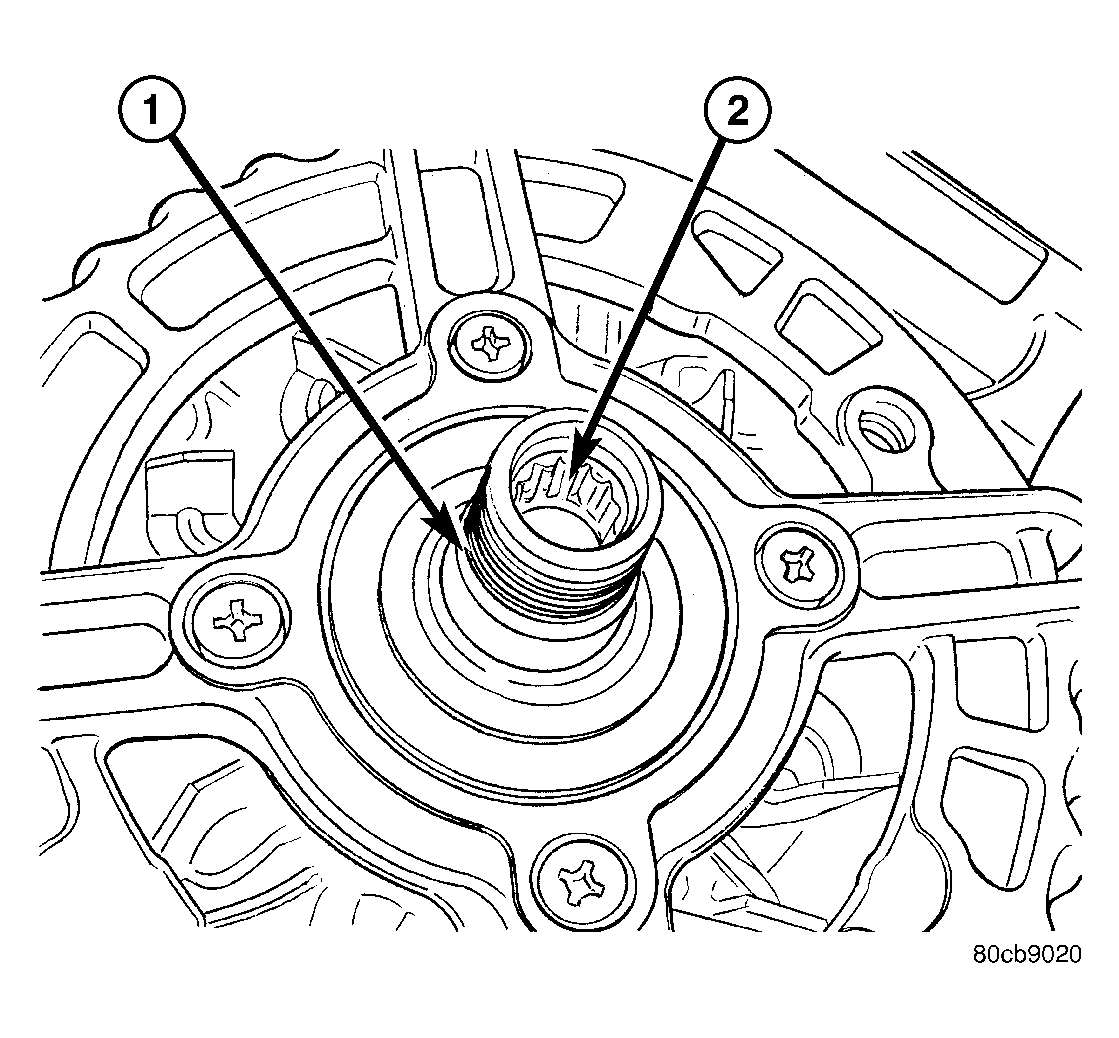 Courtesy of CHRYSLER LLC
| 1 - GENERATOR SHAFT |
| 2 - SPLINES |
- If it is splined (2), see Fig 3.
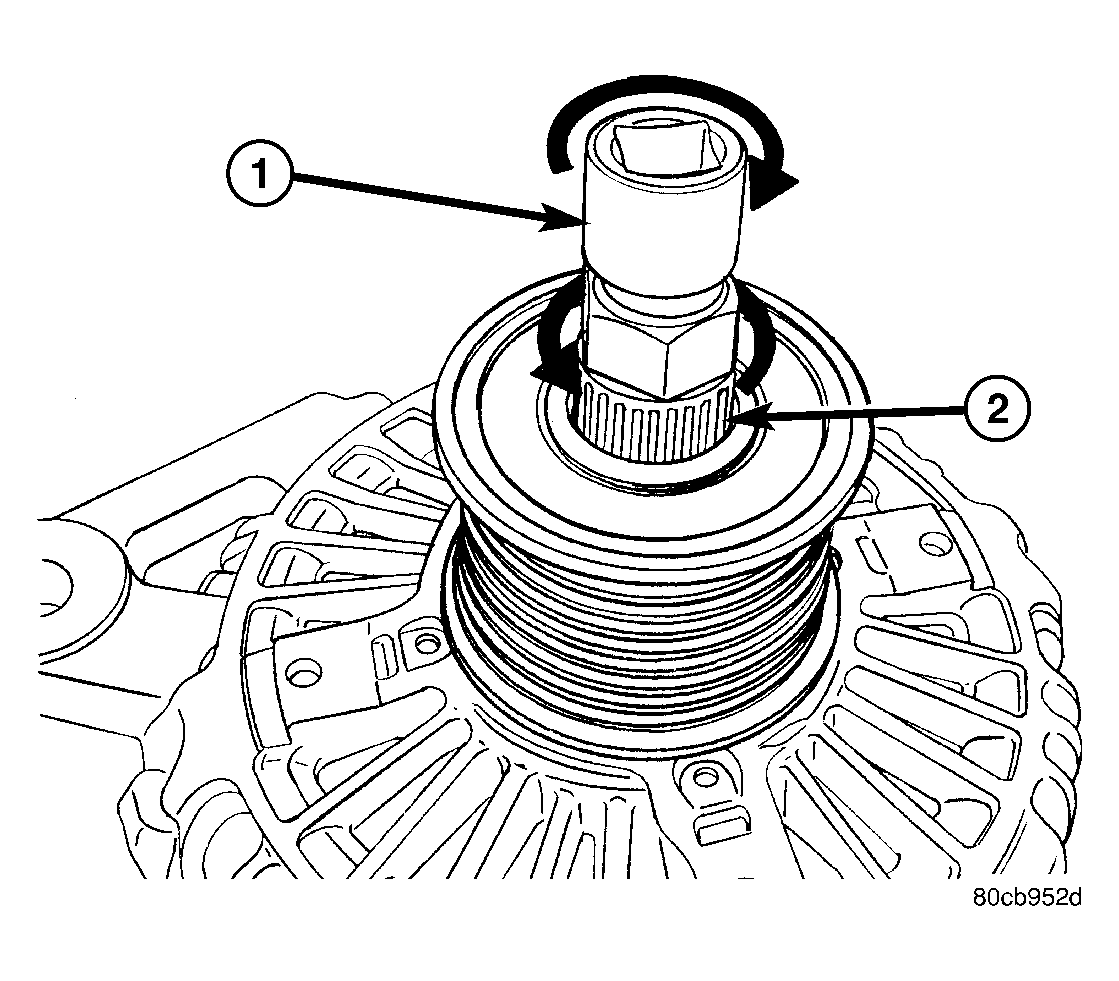 Courtesy of CHRYSLER LLC
| 1 - DEEP 10 MM SOCKET |
| 2 - TOOL #8823 (VM.1048) |
- If hex is used, insert a 10MM deep socket (1) into tool #8823 (VM.1048). See Fig 4.
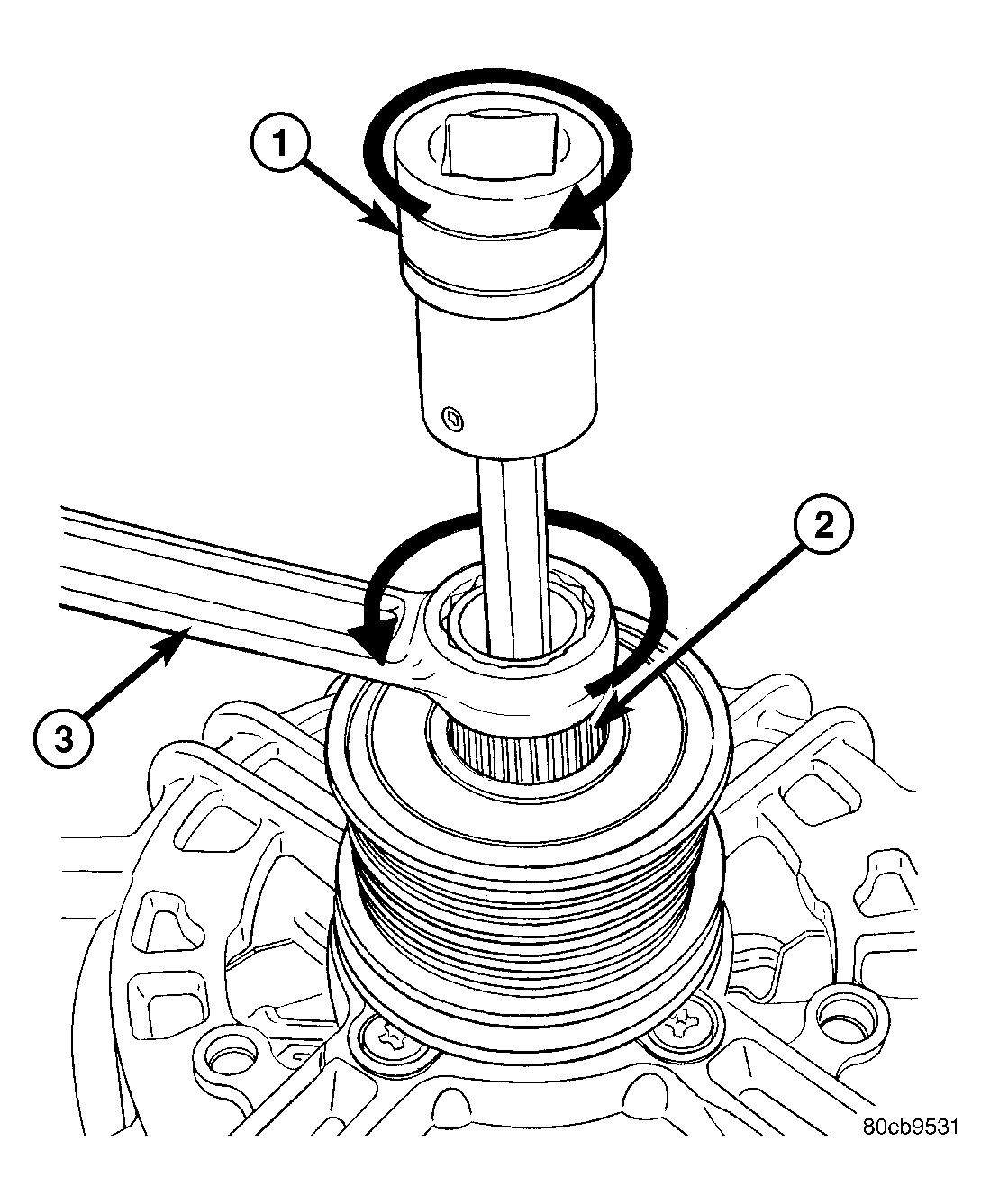 Courtesy of CHRYSLER LLC
| 1 - DRIVER |
| 2 - TOOL #8823 (VM.1048) |
| 3 - 17 MM WRENCH |
- If splined, insert a 5/16" 6-point hex driver (1), or a 10MM 12-point triple square driver into tool #8823 (VM.1048). See Fig 5.
Courtesy of CHRYSLER LLC
| 1 - DEEP 10 MM SOCKET |
| 2 - TOOL #8823 (VM.1048) |
- The generator shaft uses conventional right-hand threads to attach decoupler. To break decoupler loose from generator threads, rotate end of tool (1) clockwise or see Fig 4.
Courtesy of CHRYSLER LLC
| 1 - DRIVER |
| 2 - TOOL #8823 (VM.1048) |
| 3 - 17 MM WRENCH |
- Rotate end of tool (1) clockwise. See Fig 4.
- After breaking loose with tool, unthread decoupler by hand from generator.