Chart 5
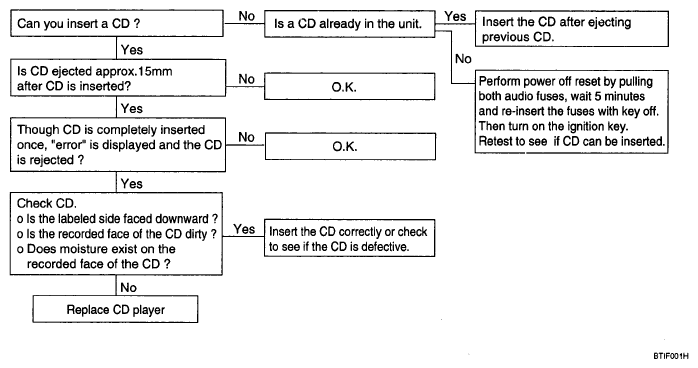
- CD WILL NOT BE ACCEPTED
 Courtesy of KIA MOTORS AMERICA, INC.
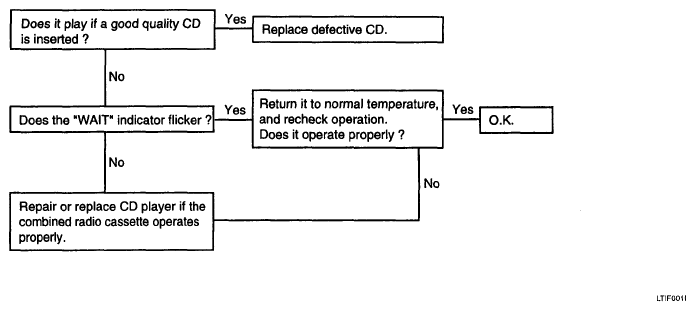
- NO SOUND
 Courtesy of KIA MOTORS AMERICA, INC.
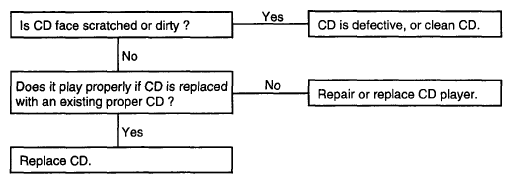
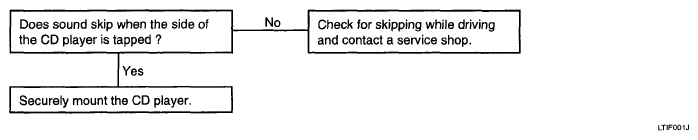
- CD SOUND SKIPS
- Sound sometimes skips when parking.
 Courtesy of KIA MOTORS AMERICA, INC.
- Sound sometimes skips when driving. (Stop vehicle, and check it.) (Check by using a CD which is free of scratches, dirt or other damage.)
 Courtesy of KIA MOTORS AMERICA, INC.
- SOUND QUALITY IS POOR
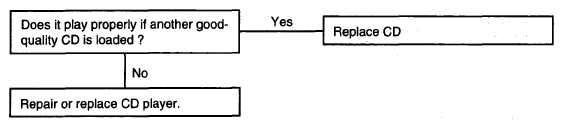 Courtesy of KIA MOTORS AMERICA, INC.
- CD WILL NOT EJECT
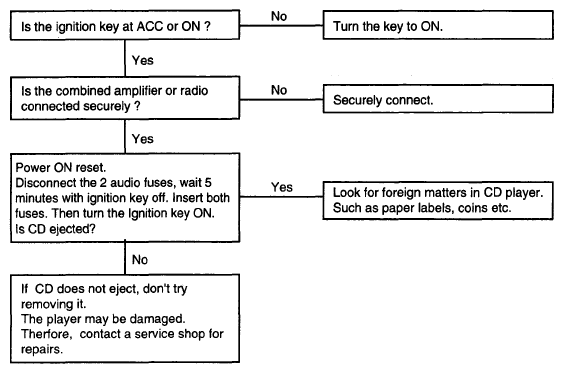 Courtesy of KIA MOTORS AMERICA, INC.
- NO SOUND FROM ONE SPEAKER
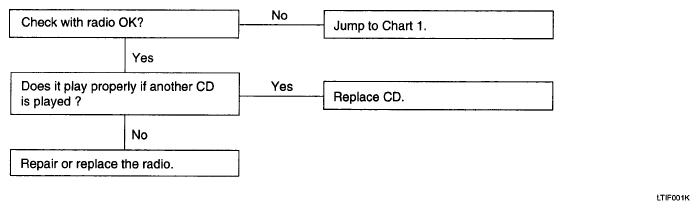 Courtesy of KIA MOTORS AMERICA, INC.