Using Indicator Light
- Using a diagnosis check wire (SST 09843-18020), connect terminals Tc and E1 of DLC1. See Fig 1.
- Turn the ignition switch ON and read the DTC on the open door indicator light. As an example, the blinking patterns for codes; normal, 12, and 11 and 12 are shown in the illustration. See Fig 2.
- Check for the problem using the DTC table. See DIAGNOSTIC TROUBLE CODE INDEX table.
- After completing the check, turn the ignition switch off, and disconnect terminals Tc and E1.
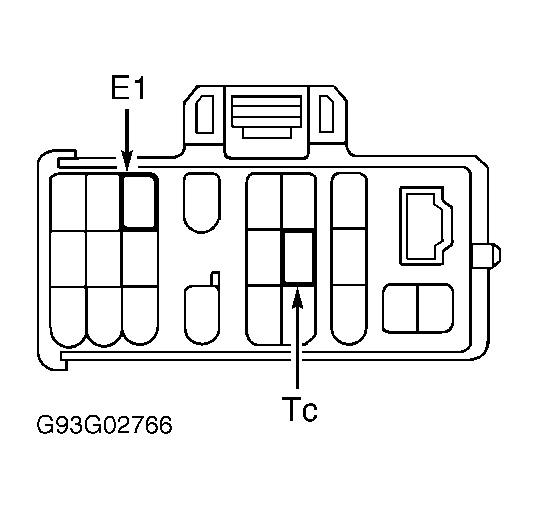 Courtesy of © TOYOTA, LICENSE AGREEMENT TMS1002
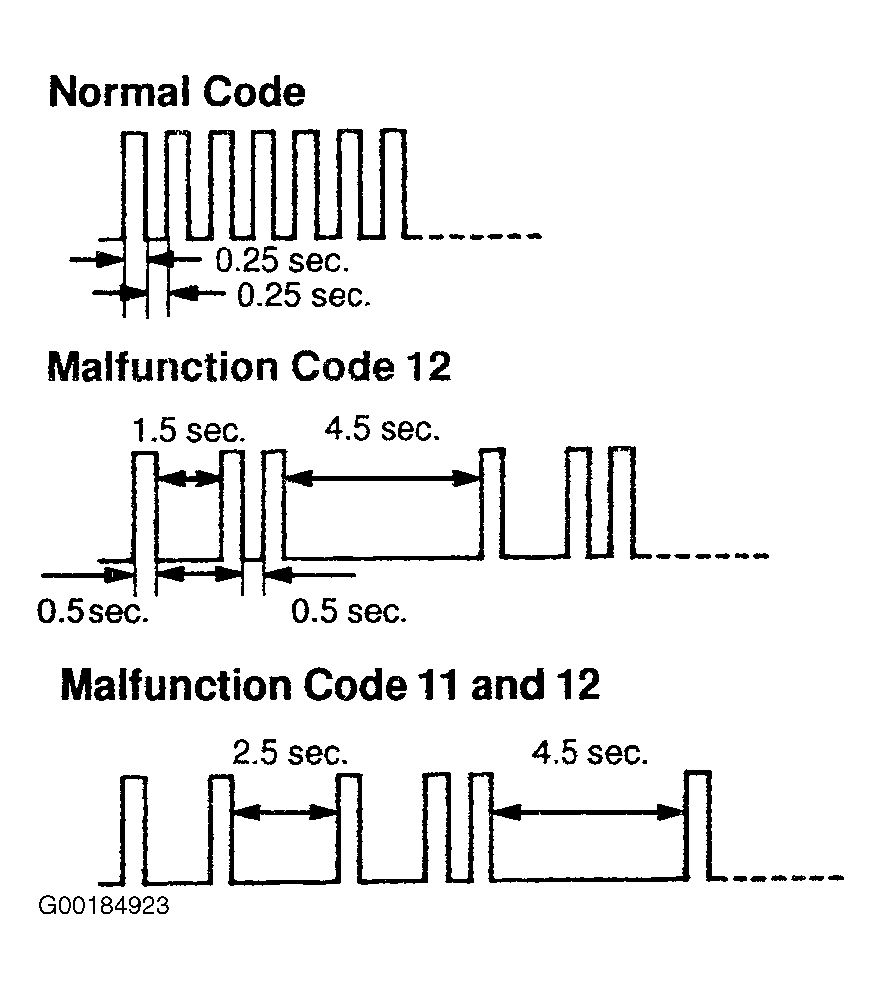 Courtesy of © TOYOTA, LICENSE AGREEMENT TMS1002