Driver Monitor Camera: Removal
- REMOVE STEERING COLUMN COVER (for Lower Side)
- Remove the 3 screws.
- Detach the 2 claws and remove the cover.
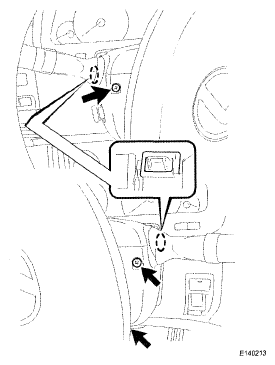 Courtesy of © TOYOTA, LICENSE AGREEMENT TMS1002
- REMOVE STEERING COLUMN COVER (for Upper Side)
- Disconnect the connector.
- Detach the claw and 4 clips and remove the cover.
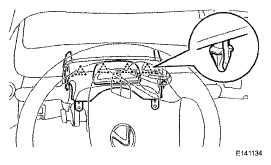 Courtesy of © TOYOTA, LICENSE AGREEMENT TMS1002
- REMOVE DRIVER MONITOR BRACKET
- Remove the screw.
- Detach the claw and remove the bracket.
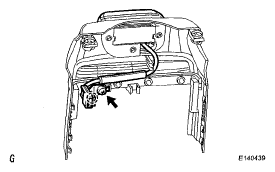 Courtesy of © TOYOTA, LICENSE AGREEMENT TMS1002
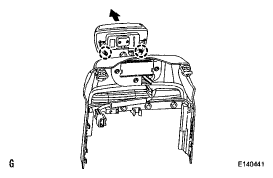
- REMOVE DRIVER MONITOR CAMERA
- Remove the 3 screws.
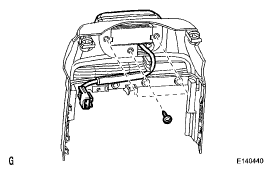 Courtesy of © TOYOTA, LICENSE AGREEMENT TMS1002
- Remove the camera in the direction indicated by the arrow.
 Courtesy of © TOYOTA, LICENSE AGREEMENT TMS1002