Compass Zone Adjustment
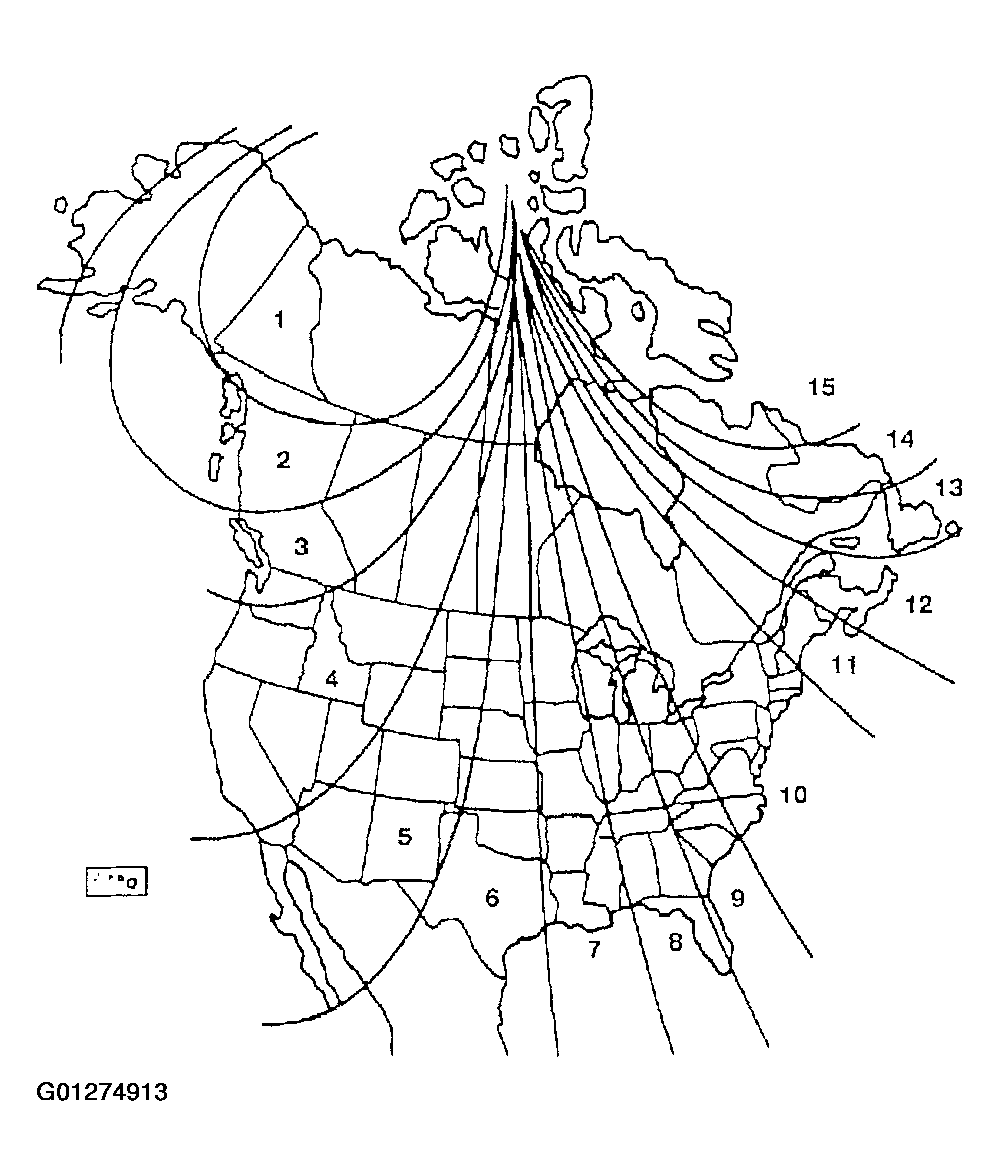 Courtesy of FORD MOTOR CO.
- Refer to Fig 1
to select the correct compass zone setting for your geographical location.
- With the compass display turned on, press and hold the COMP button (for three seconds) until the display shows the current zone of operation.
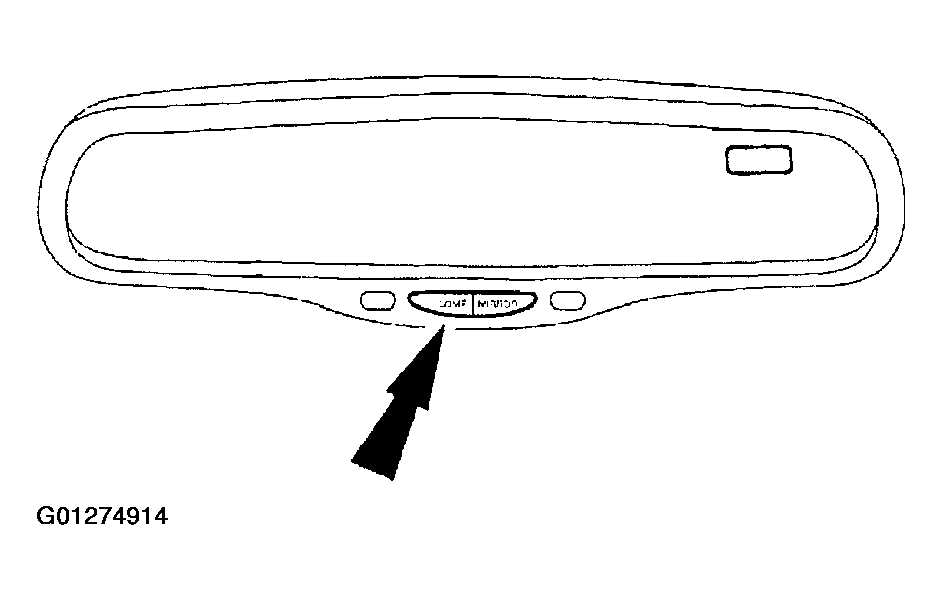 Courtesy of FORD MOTOR CO.
- Momentarily press the COMP button to cycle the zone number display. Set the zone display number to match the vehicle location on the compass calibration zone map.
- Releasing the switch for 10 seconds will exit the zone setting mode.