Heated Oxygen Sensor: Millenia
- Connect NGS scan tool to DLC-2. DLC-2 is located under left side of instrument panel, right of steering column. Access DIAGNOSTIC DATA LINK menu, and select PCM. Select PID/DATA MONITOR AND RECORD.
- Turn ignition switch on. Select appropriate HO2S PID to be checked. Voltage should be .5-1.0 volt under acceleration and 0-.5 volt under deceleration. If voltage is not as specified, check wiring harness and connector between PCM and HO2S. See WIRING DIAGRAMS
article. Also check intake air system, fuel system and self-diagnostic system. Repair as necessary. If systems are okay, replace suspect HO2S.
- To test HO2S heating element on 2.5L, go to next step. To test HO2S heating element on 2.3L, disconnect HO2S harness connector. Using ohmmeter, measure resistance between front HO2S 3-pin connector terminals "B" and "C" or rear HO2S 4-pin connector terminals "C" and "D". See Fig 1
. Resistance should be about 6 ohms with sensor temperature at 68°F (20°C). If resistance is not as specified, replace faulty HO2S.
- Disconnect HO2S connector. Using ohmmeter, measure resistance between HO2S 4-pin connector terminals "C" and "D". See Fig 2
. Rear HO2S resistance should be 6 ohms. Front HO2S resistance should be 3.3 ohms. If resistance is not as specified, replace faulty HO2S.
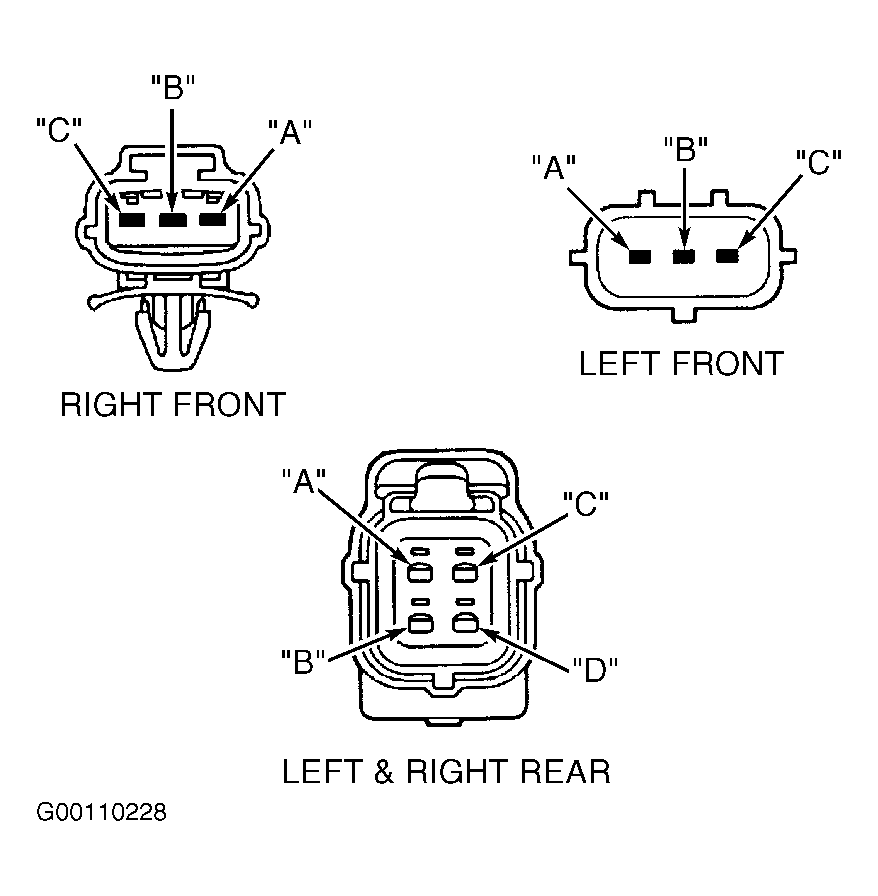 Courtesy of MAZDA MOTORS CORP.
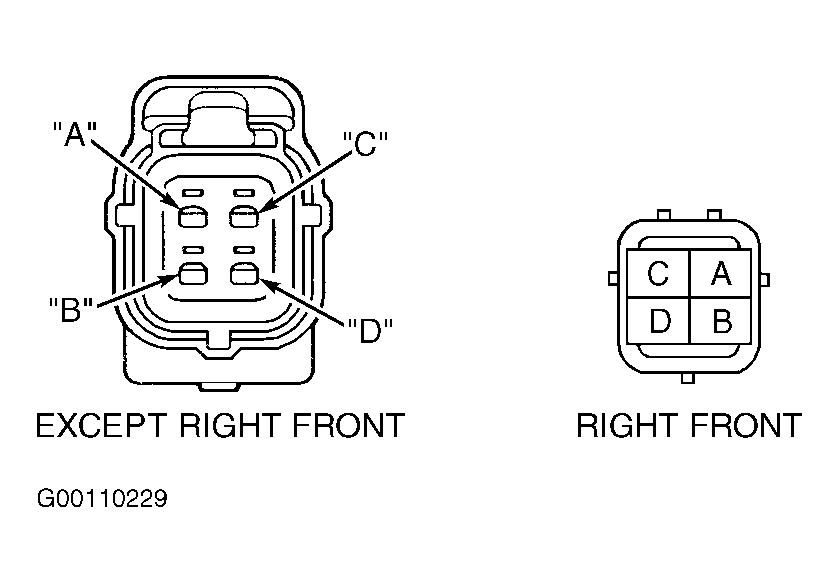 Courtesy of MAZDA MOTORS CORP.