Procedure (If one key is to be programmed)
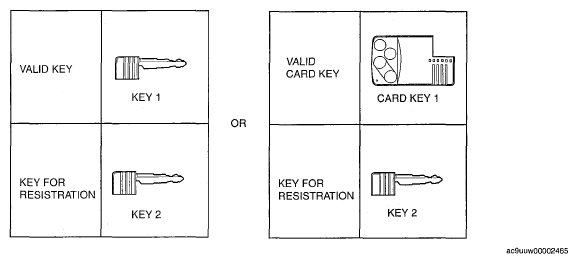 Courtesy of MAZDA MOTORS CORP.
- Prepare key 2 for programming.
- Start the engine using a valid key 1 or card key 1.
CAUTION:
- Do not place the card key in the vehicle when starting the engine with the valid key, otherwise programming cannot be performed. If the engine is started with the card key, remove the card key from the vehicle after the engine is started.
- Verify that the security light illuminates for approx. 3 s,
and then goes out.
- Turn the ignition switch to the LOCK position.
- Connect the M-MDS to the DLC-2. (See
M-MDS menu .)
- Using key 2, turn the ignition switch to the ON position.
NOTE:
- Although the security light starts flashing and DTC 15 is displayed after approx. 1 min, this does not indicate an improper procedure. Continue to perform the procedure as indicated.
- After the vehicle is identified, select the following items from the initial screen of the M-MDS.
- When using the IDS (laptop PC)
- Select the "Toolbox" tab.
- Select "Body".
- Select "Security".
- When using the PDS (Pocket PC)
- Then, select items from the screen menu in the following order.
- Select "Program additional ignition key" from the M-MDS screen menu and perform the procedure according to the M-MDS screen
- Perform the security access according to the directions on the M-MDS screen. (See
SECURITY ACCESS PROCEDURE .)
NOTE:
- After selecting the above menu, "This operation has been successful" is displayed. At this point, the key that turned the ignition switch to the ON position is completely programmed.
- After verifying that the PATS function menu is displayed again on the M-MDS screen, select the "Exit (From This Menu)" to finish the M-MDS procedure.
- After Step 11, wait 5 s or more,
and then turn the ignition switch to the LOCK position.
- Verify that the all keys can start the engine for 5 s or more
after the procedure.