Cluster Switch Removal/Installation
- Disconnect the negative battery cable. (See
NEGATIVE BATTERY CABLE DISCONNECTION/CONNECTION [SKYACTIV-G 2.0, SKYACTIV-G 2.5]
.)
- Remove the front scuff plate (See
FRONT SCUFF PLATE REMOVAL/INSTALLATION .)
- Remove the front side trim (See
FRONT SIDE TRIM REMOVAL/INSTALLATION .)
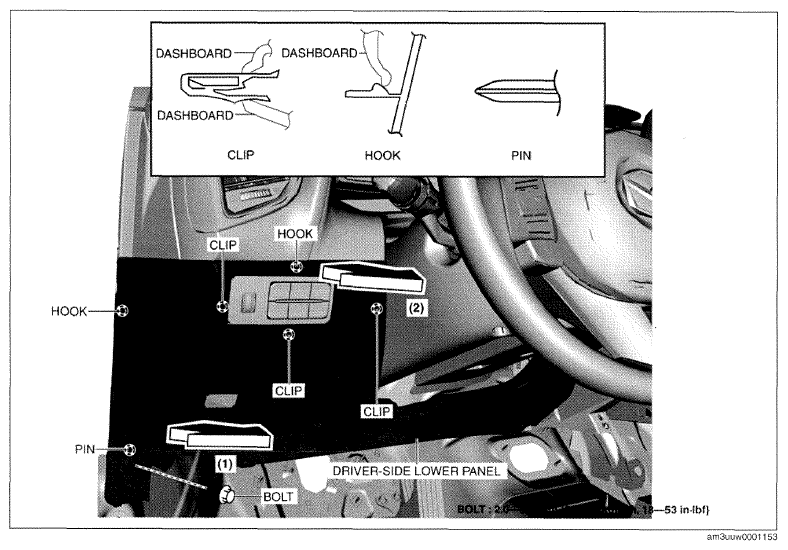
- Remove bolt.
 Courtesy of MAZDA MOTORS CORP.
- Pull the driver-side lower panel in the direction of the arrow in the order of (1), (2) while detaching clips, hooks and pin.
- Set the driver-side lower panel aside.
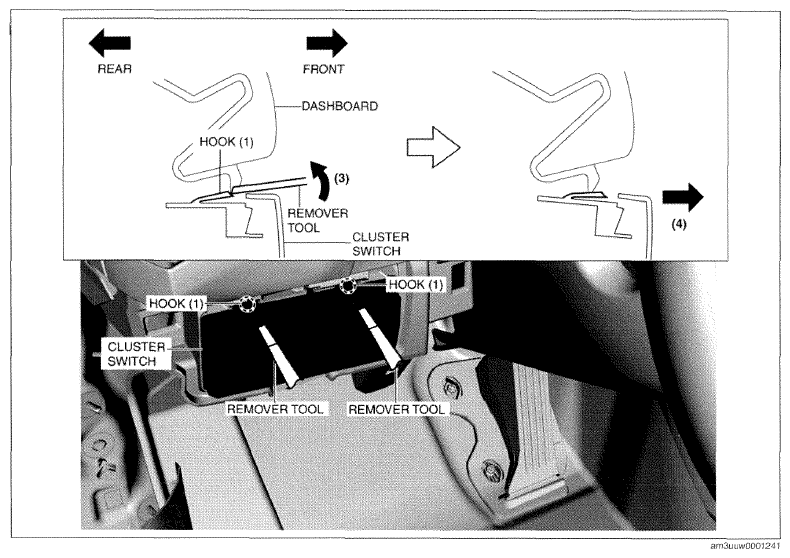
- Insert the remover tools into the positions shown in the figure, move the remover tools in the direction of arrow (3), move the cluster switch in the direction of arrow (4) while pressing hooks (1), and then disconnect cluster switch hooks (1) from the instrument panel.
 Courtesy of MAZDA MOTORS CORP.
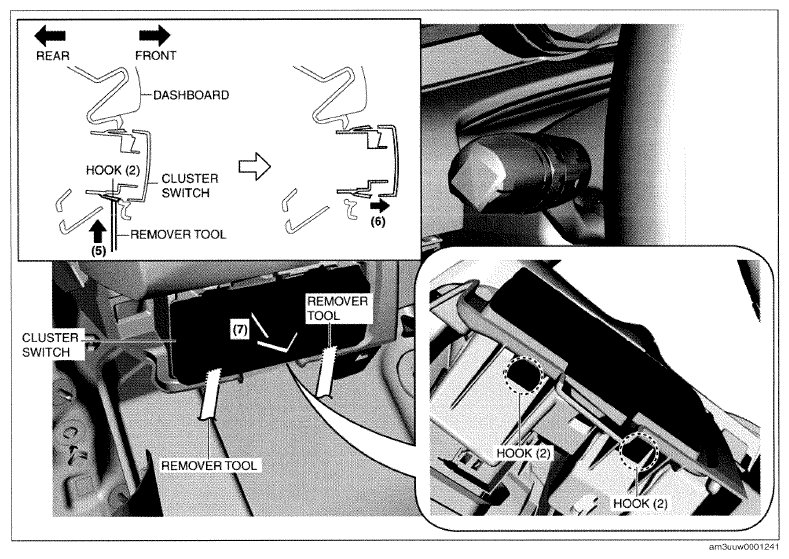
- Insert the remover tools into the positions shown in the figure, move the remover tools in the direction of arrow (5), move the cluster switch in the direction of arrow (6) while pressing hooks (2), and then disconnect cluster switch hooks (2) from the instrument panel.
 Courtesy of MAZDA MOTORS CORP.
- Remove the cluster switch in the direction of the arrow (7) shown in the figure.
CAUTION:
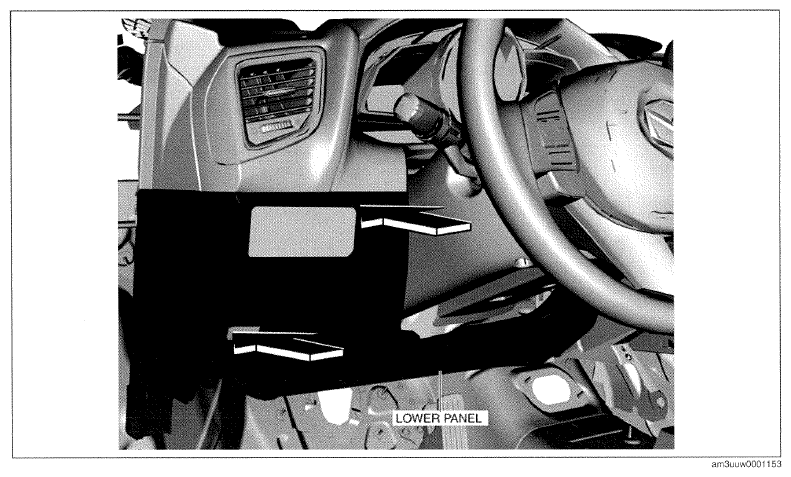
- If the driver's side lower panel is left uninstalled it could be damaged. If the cluster switch is not to be installed for the time being during the cluster switch inspection, temporarily install the driver's side lower panel in the direction of the arrows shown in the figure.
 Courtesy of MAZDA MOTORS CORP.
- Install in the reverse order of removal.