Column Cover Removal/Installation
- Pull down the steering wheel.
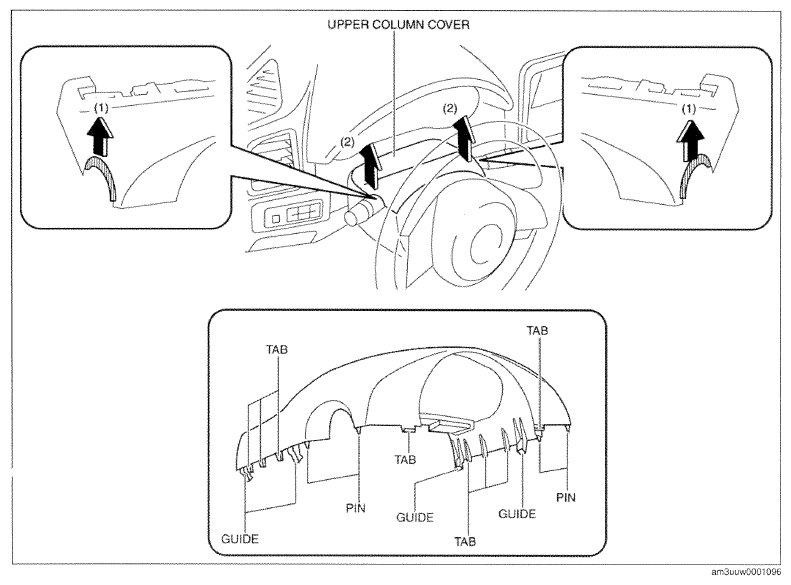
- Press the shaded area shown in the figure using your thumb, and lift the upper column cover in the direction of arrow (1).
 Courtesy of MAZDA MOTORS CORP.
- Pull the upper column cover in the direction of the arrow (2) and remove it while detaching pins, tabs and guides.
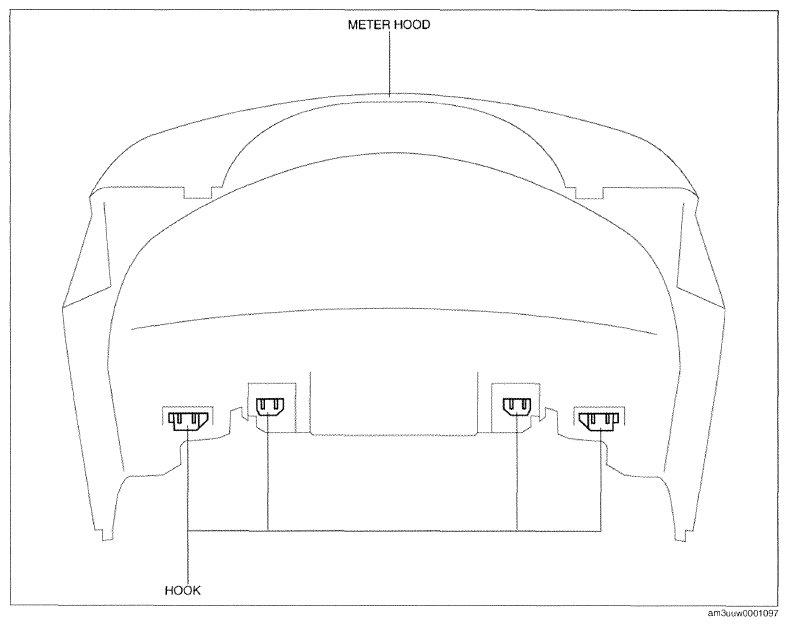
- Remove hooks from the meter hood.
CAUTION:
- If the cover of the meter hood is deformed, it may not return to its original condition. When removing the cover of the meter hood, detach hooks one by one from the upper column cover.
 Courtesy of MAZDA MOTORS CORP.
- Pull up the steering wheel.
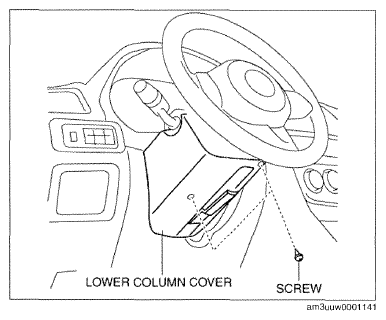
- Remove screws.
 Courtesy of MAZDA MOTORS CORP.
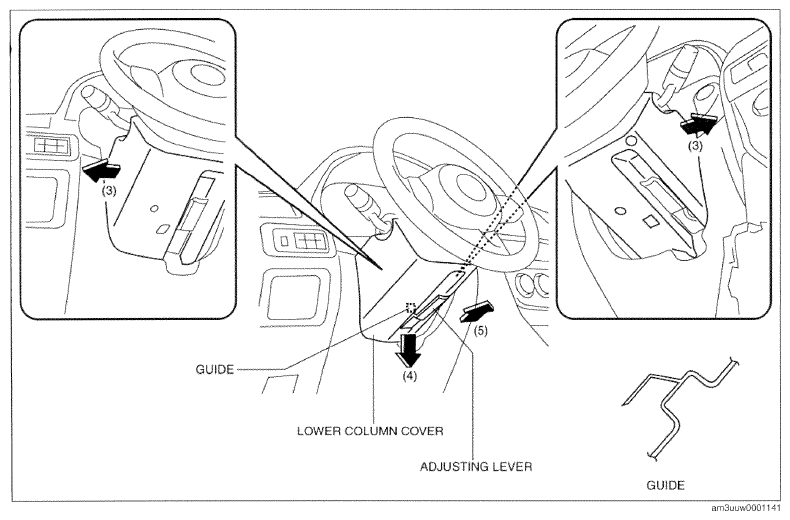
- Pull down the lower column cover in the direction of arrow (4) while keeping it open in the direction of arrow (3) shown in the figure.
 Courtesy of MAZDA MOTORS CORP.
- Lower the adjusting lever to the bottommost position.
CAUTION:
- If the adjuster lever is pulled down to the very bottom and the lower column cover is removed while the steering wheel is not secured, the lower column cover will interfere with the driver's side lower panel and could cause damage to the lower column cover and driver's side lower panel. Secure the steering wheel when removing the lower column cover.
- Set the adjusting lever aside in the direction of arrow (5) shown in the figure and remove the lower column cover while detaching the guide.
- Install in the reverse order of removal.