Fixed Speed Adjusting Screw: Lancer
- Connect scan tool to OBD-II Data Link Connector (DLC) located below instrument panel, to left of steering column. See Figure.
- Loosen throttle cable. Loosen fixed SAS lock nut. See Fig 1. Turn fixed SAS counterclockwise until throttle valve is fully closed. Turn fixed SAS clockwise until throttle lever is touched (the point at which throttle valve begins to open). After throttle lever is touched, turn fixed SAS clockwise 1 1/4 turns.
- Tighten lock nut while holding fixed SAS in position. Adjust throttle cable. Adjust basic idle speed. See BASIC IDLE SPEED . Adjust throttle position sensor. See THROTTLE POSITION SENSOR & CLOSED THROTTLE POSITION SWITCH .
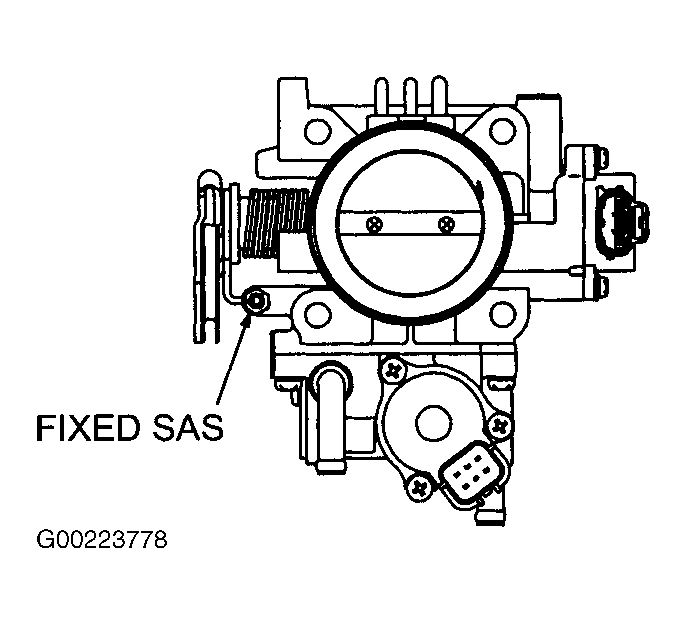 Courtesy of MITSUBISHI MOTOR SALES OF AMERICA.