 Courtesy of MITSUBISHI MOTOR SALES OF AMERICA. Courtesy of MITSUBISHI MOTOR SALES OF AMERICA.
|
- |
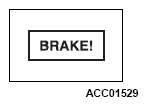
Displayed when the vehicle-travelling-ahead is decelerating too much, another vehicle interrupts your lane, or your vehicle is too close to the vehicle-travelling-ahead due to poor deceleration on downhill while the ACC is in progress. |
If the warning screen is not displayed normally or if the screen continues to be displayed, check the ACC DTC. (Refer to - DIAGNOSTIC TROUBLE CODE CHART
.) |
 Courtesy of MITSUBISHI MOTOR SALES OF AMERICA. Courtesy of MITSUBISHI MOTOR SALES OF AMERICA.
|
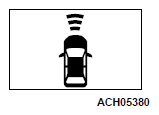
ACC RADAR BLOCKED |
When the ACC system determines that it cannot detect objects properly, a message will appear on the information screen of the multi-information display. |
 Courtesy of MITSUBISHI MOTOR SALES OF AMERICA. Courtesy of MITSUBISHI MOTOR SALES OF AMERICA.
|
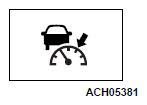
ACC READY TO RESUME |
When the ACC target vehicle is restarted, the distance-keeping controls can be restarted by operating the switch or depressing the accelerator pedal. |
 Courtesy of MITSUBISHI MOTOR SALES OF AMERICA. Courtesy of MITSUBISHI MOTOR SALES OF AMERICA.
|
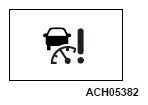
ACC SERVICE REQUIRED |
Displayed when the ACC system has some abnormality. |
 Courtesy of MITSUBISHI MOTOR SALES OF AMERICA. Courtesy of MITSUBISHI MOTOR SALES OF AMERICA.
|
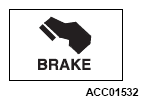
APPLY BRAKE |
If the ACC system judges that the stationary vehicle hold state can no longer be maintained on a steep slope after your vehicle stops when the vehicle in front stops, the stationary vehicle hold state is cancelled and a warning appears on the information screen of the multi-information display. |
| It may be displayed when there is an abnormality in the auto hold function. For details, refer to the item of ASC. |
 Courtesy of MITSUBISHI MOTOR SALES OF AMERICA. Courtesy of MITSUBISHI MOTOR SALES OF AMERICA.
|
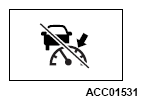
ACC CANCELLED |
Displayed when ACC stops due to one of the following conditions.
- When the ASC is turned off.
- When ABS, ASC or TCL is in operation.
- When the parking brake is applied.
- When the selector lever is in the "P", "R" or the "N" position.
- When the driver's seat belt is unfastened.
- When the driver's door is opened.
- When the ACC no longer detects any vehicle in front while it is in the stationary vehicle hold state.
- When the vehicle is stationary for 10 minutes or more.
- When the system detects the vehicle sliding down a slope.
|
If the warning screen is not displayed normally or if the screen continues to be displayed, check the ACC DTC. (Refer to - DIAGNOSTIC TROUBLE CODE CHART
.) |
| ACC NOT AVAILABLE NOW |
Conditions for the start of control are not met, the ACC cannot start the control. |
| ACC OUT OF SPEED RANGE |
The ACC cannot start the control because the speed is out of speed range. |
| ACC NO FORWARD VEHICLE |
The ACC cannot start the control because not detected the approach of the vehicles in front. |
| ACC TEMPORARILY NOT AVAILABLE |
The ACC is not available temporarily such as for adhesion of contaminants to the sensor. This is not a malfunction. |