Operation Procedure
WARNING: This page is about a different car, the 2005 Nissan Quest. However, it is still accessible from the selected car via links, so may be relevant.
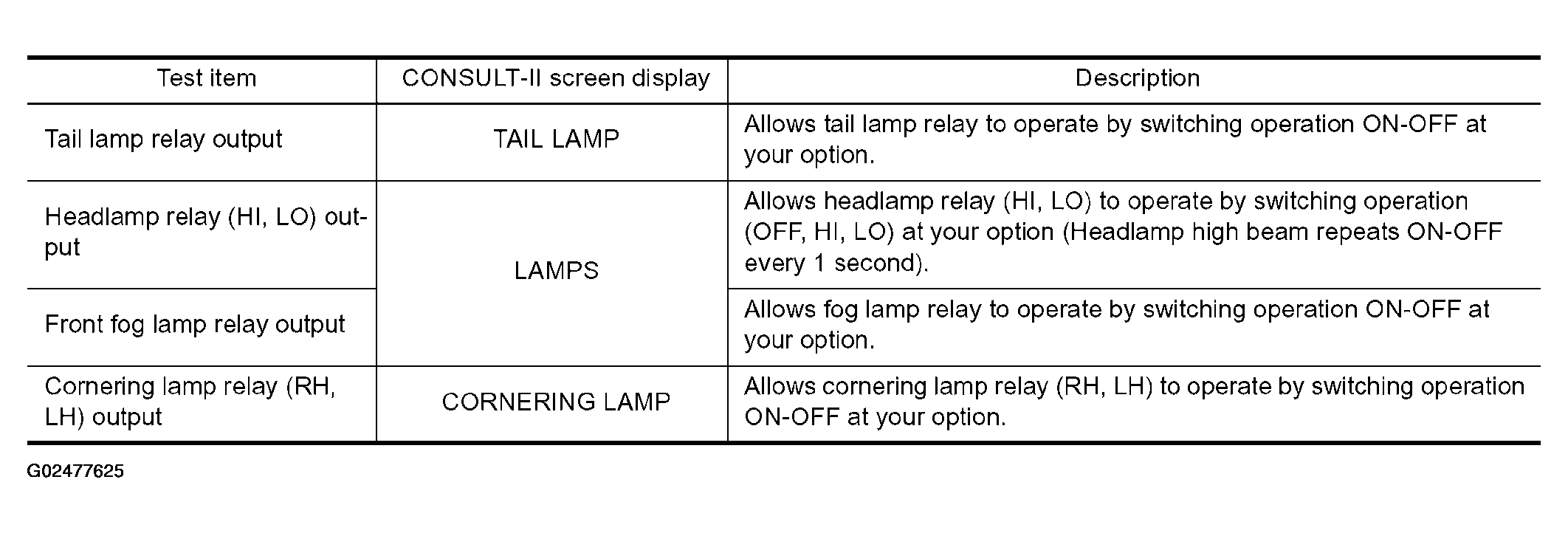
- Touch "ACTIVE TEST" on "SELECT DIAG MODE" screen.
- Touch item to be tested, and check operation.
- Touch "START".
- Touch "STOP" while testing to stop the operation.
 Courtesy of NISSAN MOTOR CO., U.S.A.