To remove
- Remove the pedal bracket cover by undoing the 3 screws and the clip. Tilt the cover and carefully pull it out. Pay attention to the cables for the diagnostic tool data link connector and the lighting.
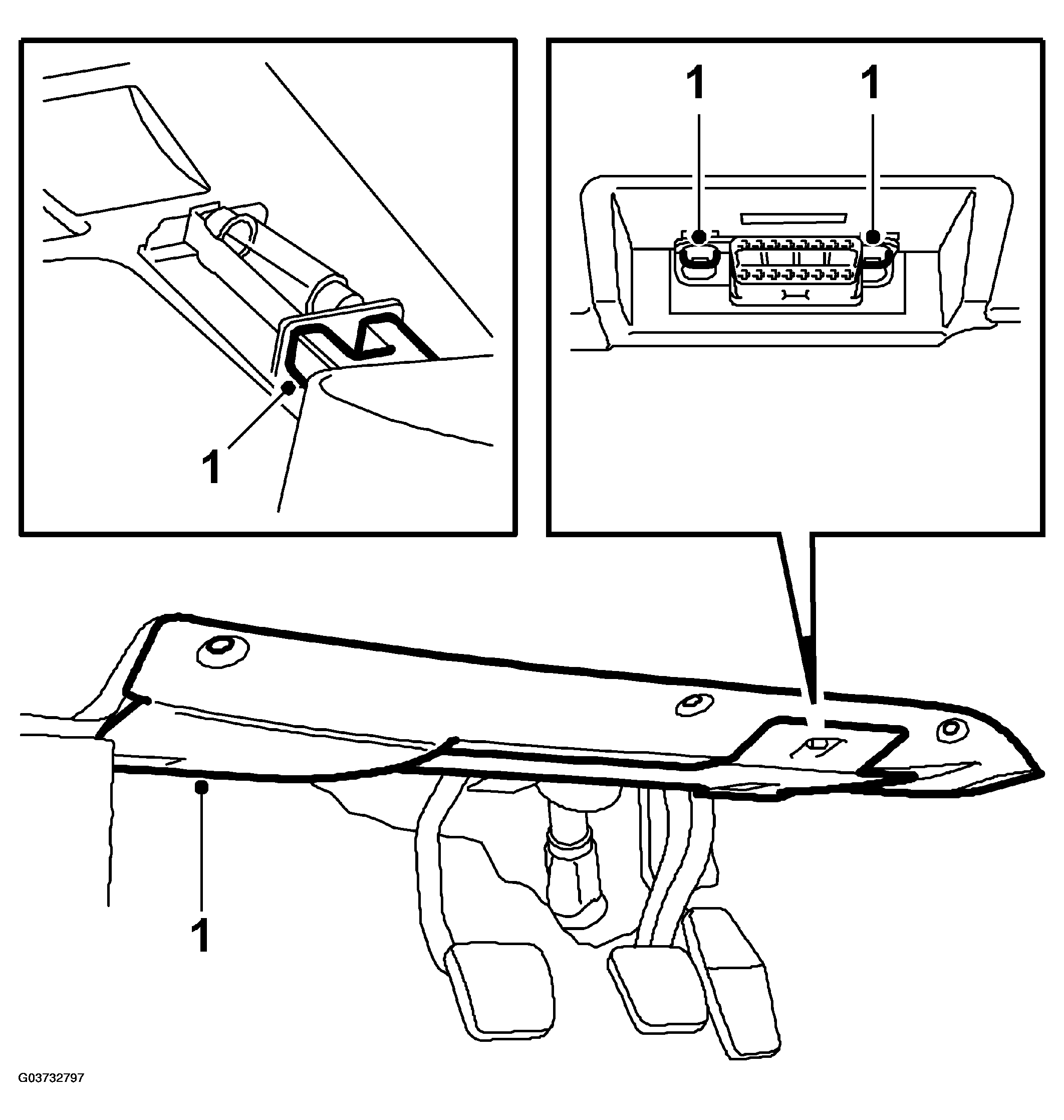 Courtesy of SAAB-SCANIA OF AMERICA, INC.
- Depress the clutch pedal.
- Extract the red sleeve on the switch until it clicks.
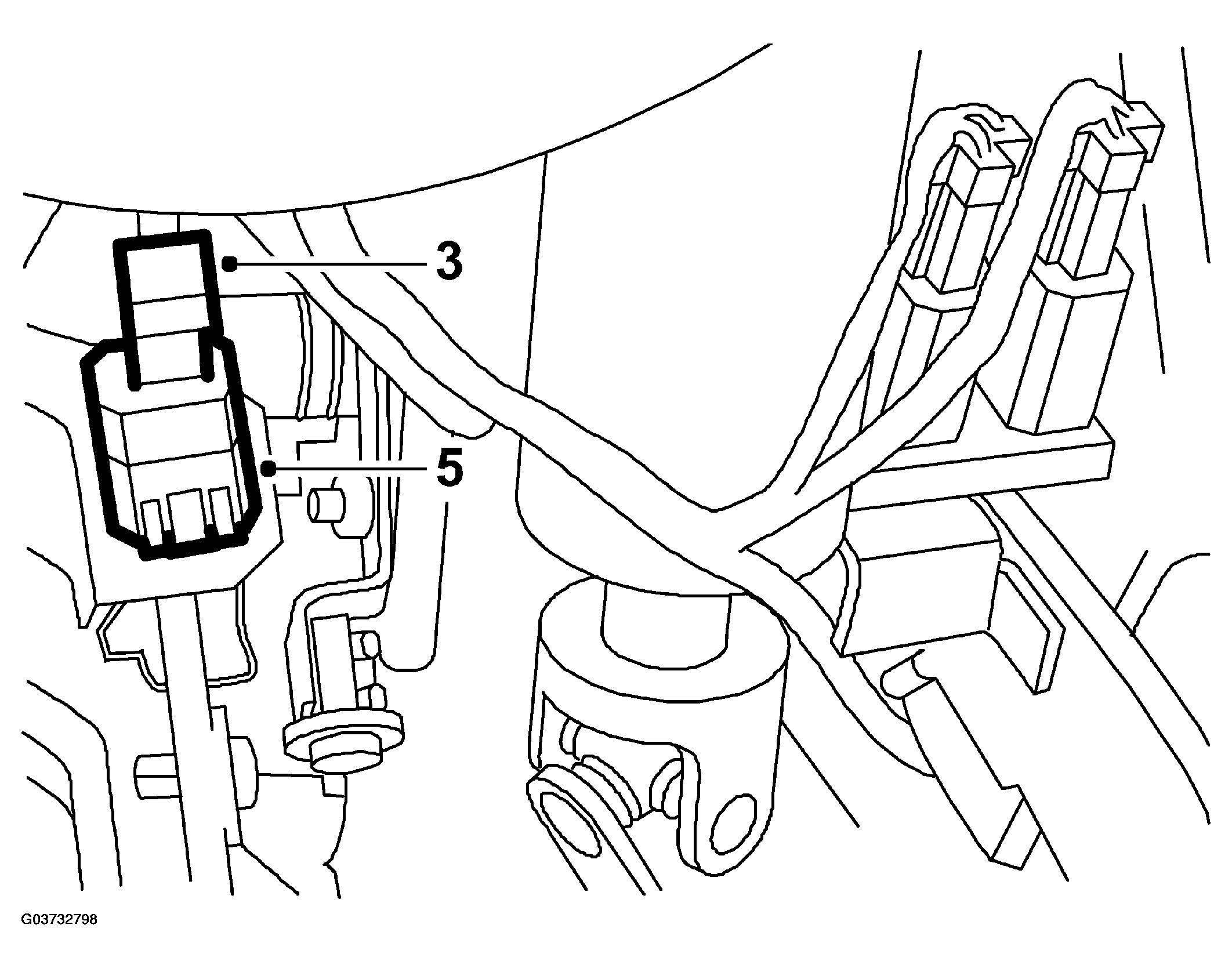 Courtesy of SAAB-SCANIA OF AMERICA, INC.
- Detach the switch by pressing in the catches with an electricians screwdriver or similar tool.
- Unplug the connector once the switch is loose.