FixVault
Home
›
Saab
›
2004
›
9-5 Linear, Standard
›
Repair and Diagnosis
›
Accessories & Equipment
›
Entertainment Systems
›
Navigation With Audio
›
Adjustment/Replacement
›
Switch, Nav/Tele
›
To remove
To remove
Remove the glove box.
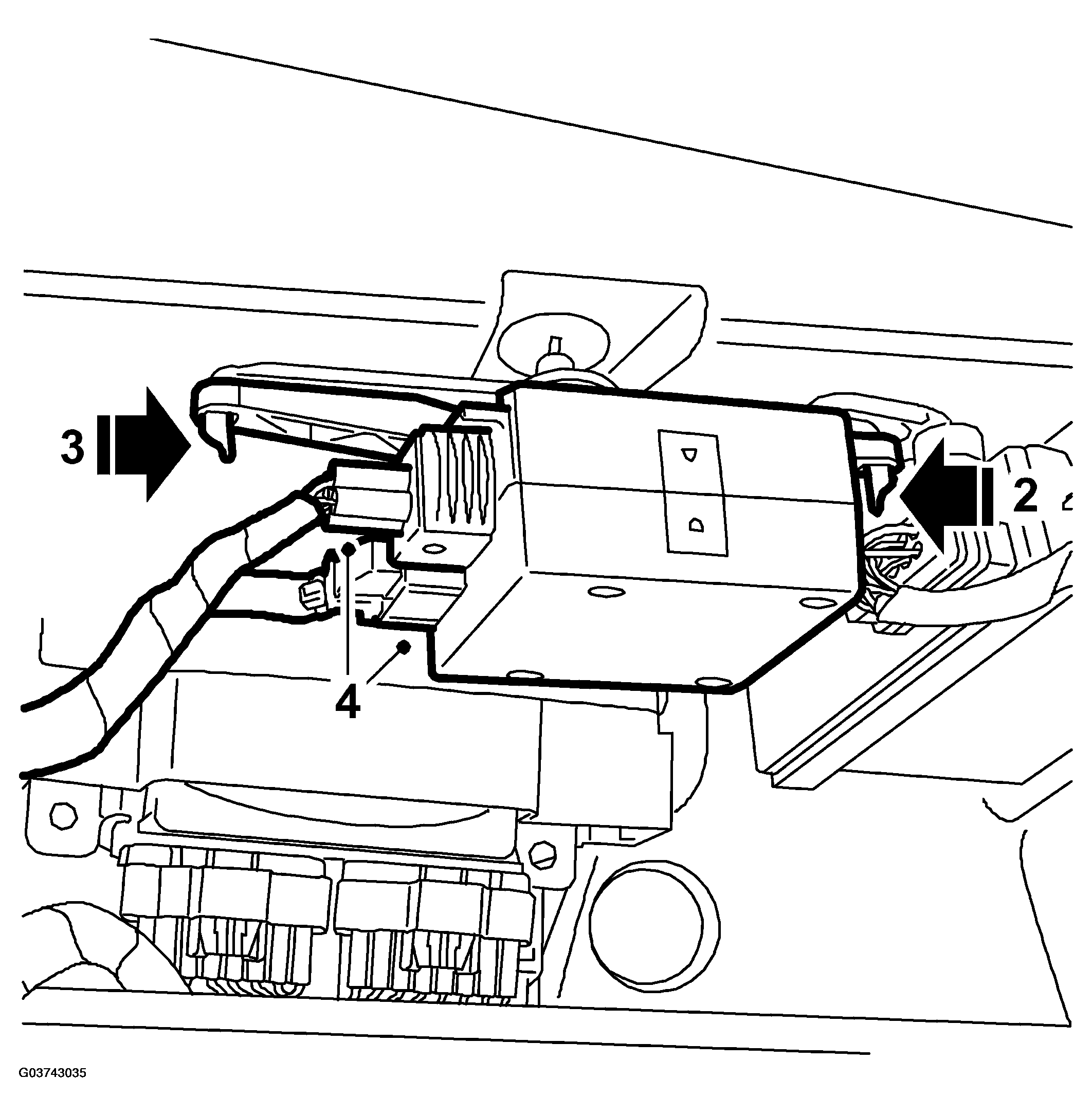
Press the bracket to the left and release the RH catch.
Fig 1: Illustration For Step 2-4
Courtesy of SAAB-SCANIA OF AMERICA, INC.
Remove the bracket by releasing the LH catch.
Unplug the connector.
 Courtesy of SAAB-SCANIA OF AMERICA, INC.