DTC B1372: Device Ignition No. 1 Circuit Low
- Turn ignition on. Using scan tool, select BCM SECURITY DATA DISPLAY, IGNITION 1 STATE. If ignition 1 state does not display HIGH, go to next step. If ignition 1 state displays HIGH, problem is intermittent. Check for poor connection to Body Control Module (BCM). Repair as necessary and retest operation.
- Check IGN 1 fuse (10-amp), located in instrument panel fuse block. See COMPONENT LOCATIONS . If fuse is okay, go to next step. If fuse is blown, repair short to ground in Pink wire between IGN 1 fuse and Brown 24-pin BCM connector terminal A12. See Fig 1. See WIRING DIAGRAMS . Replace IGN 1 fuse and retest operation.
- Connect DVOM between ground and Brown 24-pin BCM connector terminal A12 (Pink wire). See Fig 1. If battery voltage exists, go to next step. If battery voltage does not exist, repair open in Pink wire between IGN 1 fuse and Brown 24-pin BCM connector terminal A12. See WIRING DIAGRAMS .
- Check for poor connection to BCM. Repair as necessary and retest operation. If BCM connection checks okay, replace BCM. See BODY CONTROL MODULE (BCM) under REMOVAL & INSTALLATION. Retest operation.
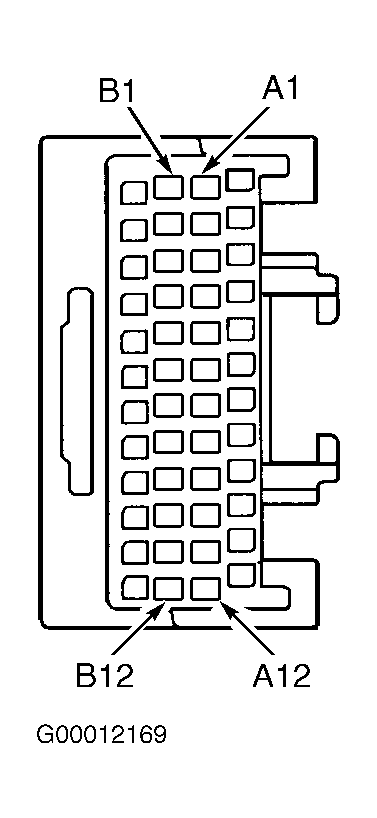 Courtesy of GENERAL MOTORS CORP.