Lumbar Support Cable Replacement (SC2/SL2/SW2): Notes
 Courtesy of GENERAL MOTORS CORP.
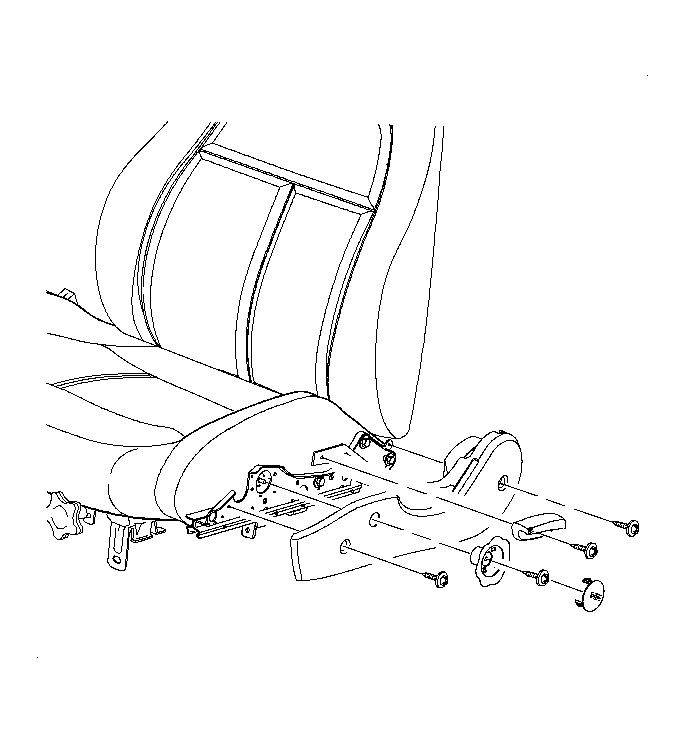
- Adjust the lumbar by turning the lumbar knob until the setting of least support is achieved.
- Remove the seat from the vehicle. Refer to Front Seat Replacement - Bucket .
 Courtesy of GENERAL MOTORS CORP.
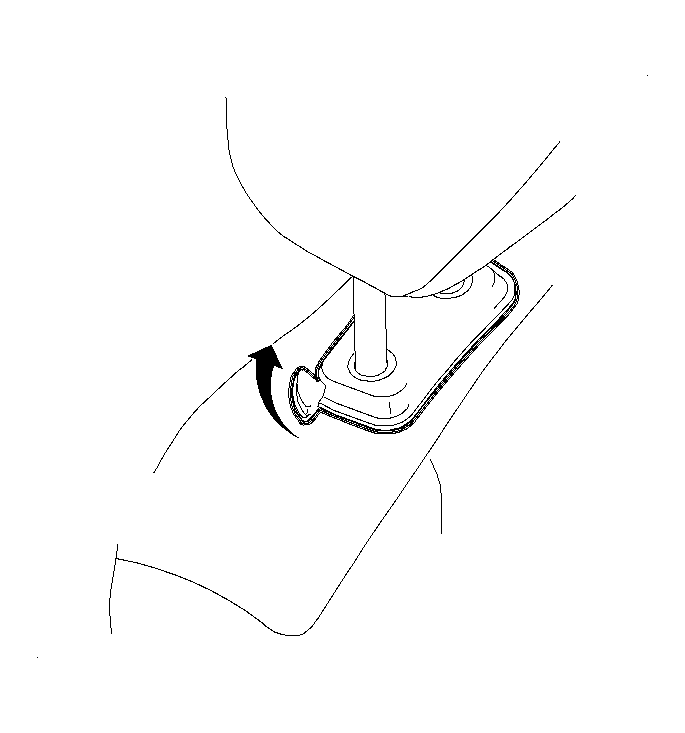
- Remove the headrest assembly.
- Raise the headrest assembly to the full up position.
- Push the headrest lever towards the rear of the vehicle.
- Pull the headrest out of the seatback.
 Courtesy of GENERAL MOTORS CORP.
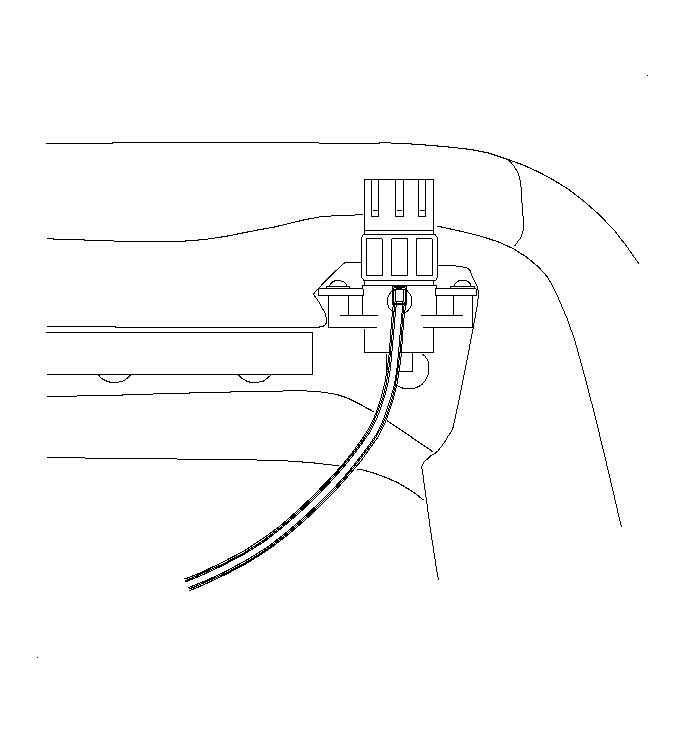
- Remove the lumbar knob retaining clip.
- Remove the lumbar knob by pulling.
- Remove the lumbar actuator fasteners.
 Courtesy of GENERAL MOTORS CORP.
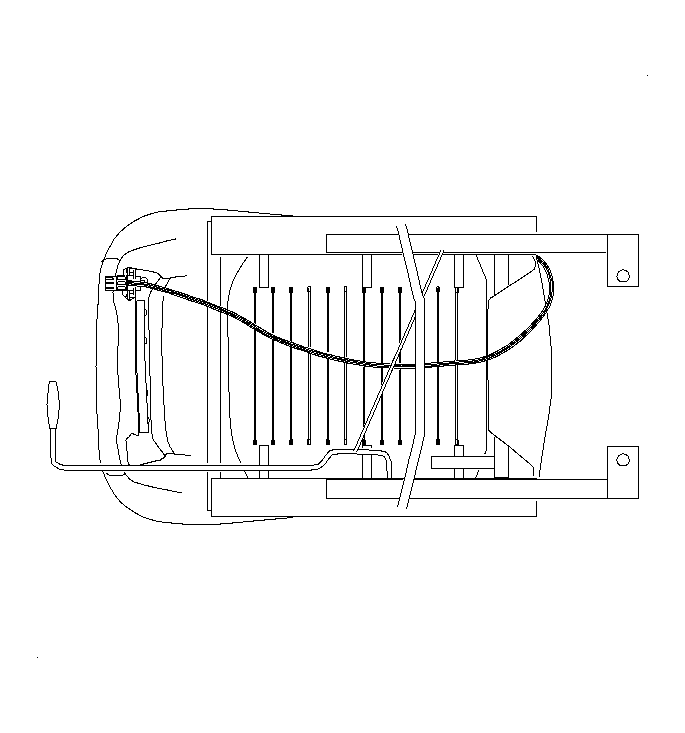
- Remove the lumbar actuator cable assembly by pushing rearward.
- Thread the lumbar cable back over the riser bar to the rear side of the seat back.
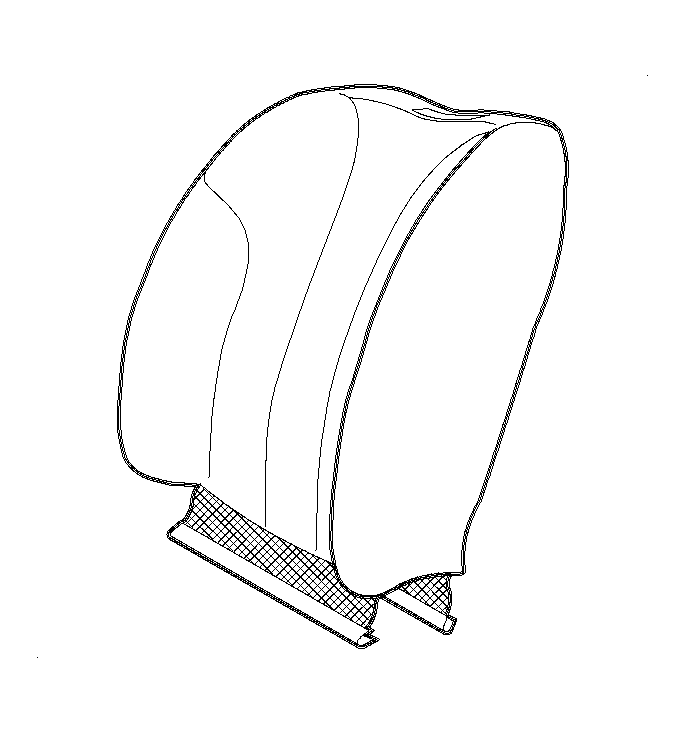 Courtesy of GENERAL MOTORS CORP.
- Disengage the interlock strip at the bottom of the seat back.
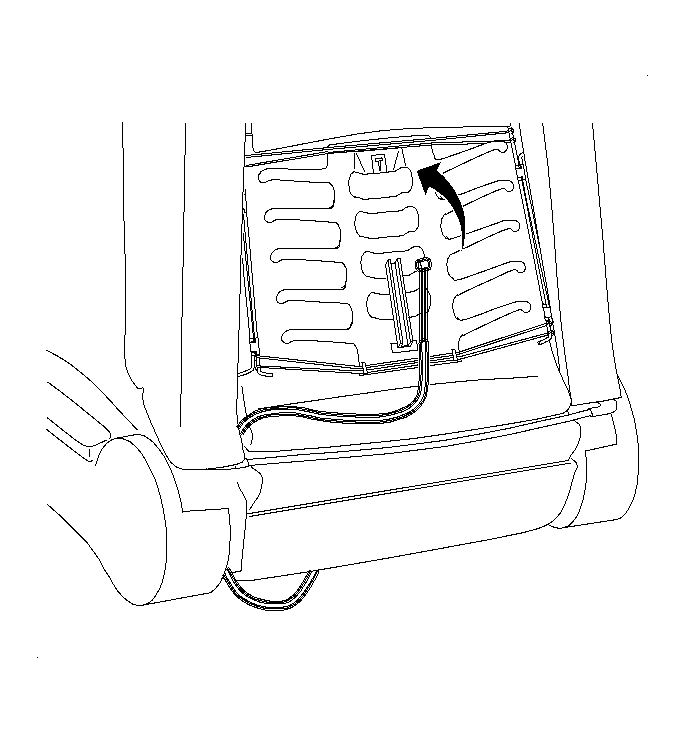 Courtesy of GENERAL MOTORS CORP.
- Pull the seat cover up enough to expose the lumbar basket.
- Place one hand at the top of the lumbar basket.
- Press down with that hand while removing the lumbar actuator cable barrel from the slot.
- Slide the lumbar actuator cable through the lumbar cable guide.
- Pull the cable housing away from the cable at the actuator end.
- Pull up on the cable removing the lumbar cable barrel from the actuator.