- Prepare the Subaru Select Monitor kit. < Refer to
SPECIAL TOOL , PREPARATION TOOL, General Description. >
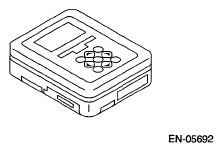 Courtesy of SUBARU OF AMERICA, INC.
- Prepare PC with Subaru Select Monitor installed.
- Connect the SDI (Subaru Diagnostic Interface) to the PC USB port (exclusively for Subaru Selector Monitor) using a USB cable.
NOTE:
Port exclusively for Subaru Select Monitor refers to the USB port used when installing Subaru Select Monitor.
- Connect the diagnosis cable to the SDI.
- Connect the SDI to the data link connector located in the lower portion of the instrument panel (on the driver's side).
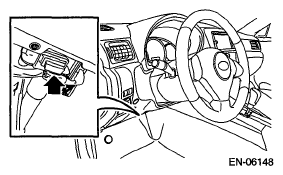 Courtesy of SUBARU OF AMERICA, INC.
CAUTION:
Do not connect scan tools other than the Subaru Select Monitor.
- Start the PC.
- Turn the ignition switch to ON (engine OFF) and run the "PC application for Subaru Select Monitor".
- Record the DTC and data.
NOTE:
For detailed operation procedure, refer to the
"PC application help for Subaru Select Monitor".
- If VDC and Subaru Select Monitor cannot communicate, check the communication circuit. < Refer to
COMMUNICATION FOR INITIALIZING IMPOSSIBLE , INSPECTION, Subaru Select Monitor. >