Replace door control receiver and transmitter
.
NOTE:
When replacing the door control receiver and transmitter, registration of recognition code is necessary because they are provided as single component.
- Select which operation mode should be performed from the following modes.
- Add mode
- Rewrite mode
- Prohibition mode
- Confirmation mode
NOTE:
- The add mode is used to retain codes already registered while you register new recognition codes. This mode is used when adding a transmitter. However, if the number of registered codes exceeds 4 codes, previously registered codes are correspondingly erased in order, starting from the first registered code.
- The rewrite mode is used to erase all previously registered codes and register only new recognition codes.
- The prohibition mode is used to erase all registered codes and cancels the wireless door lock function. Use this mode when the transmitter is lost.
- The confirmation mode is for confirming how many recognition codes are already registered before you register additional recognition codes.
- Follow the chart on the following pages to register the transmitter recognition code at the wireless door lock control receiver.
NOTE:
- When procedure is out of the specified, the operation returns to normal operation.
- Maximum 4 recognition codes can be registered.
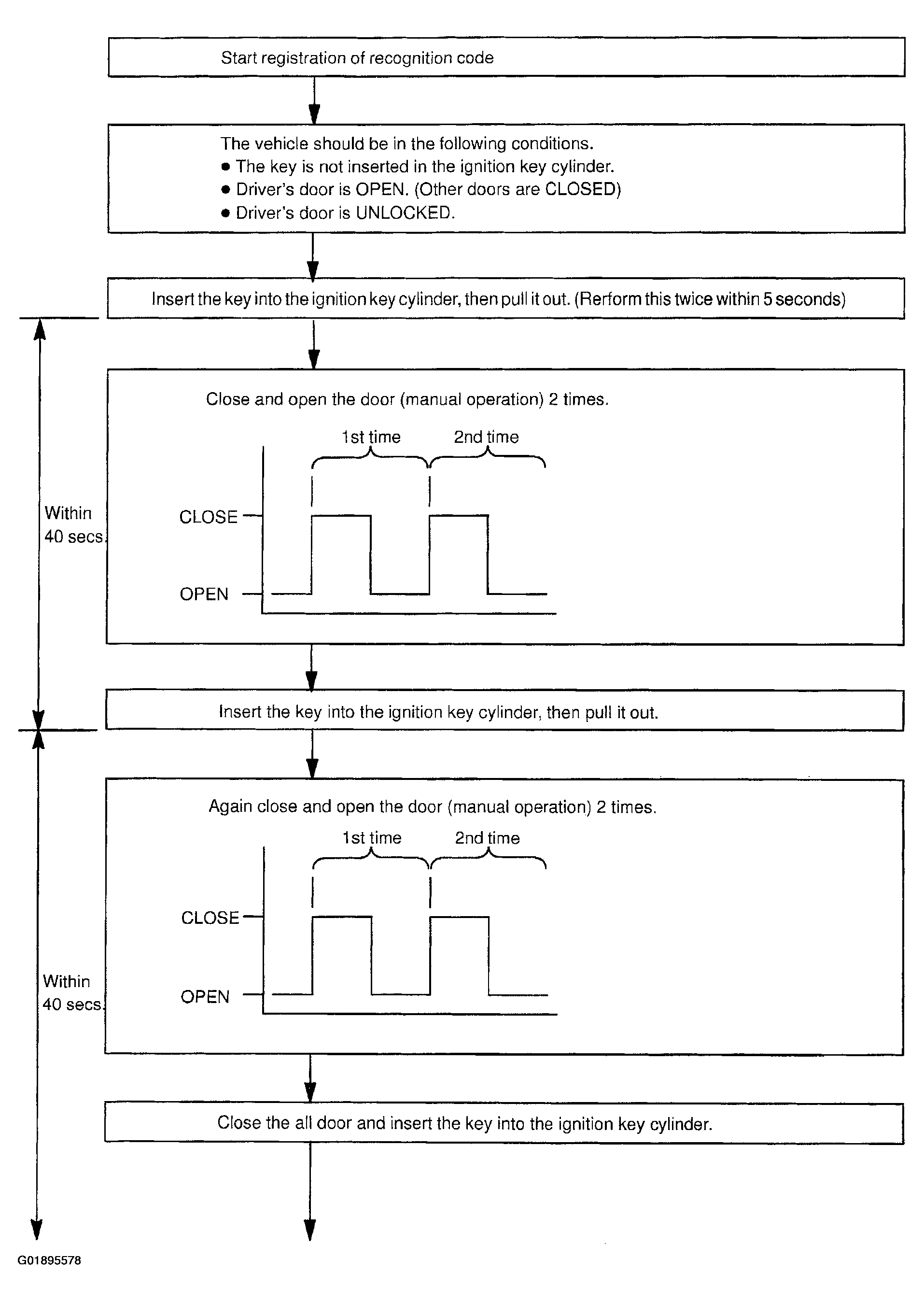 Courtesy of © TOYOTA, LICENSE AGREEMENT TMS1002
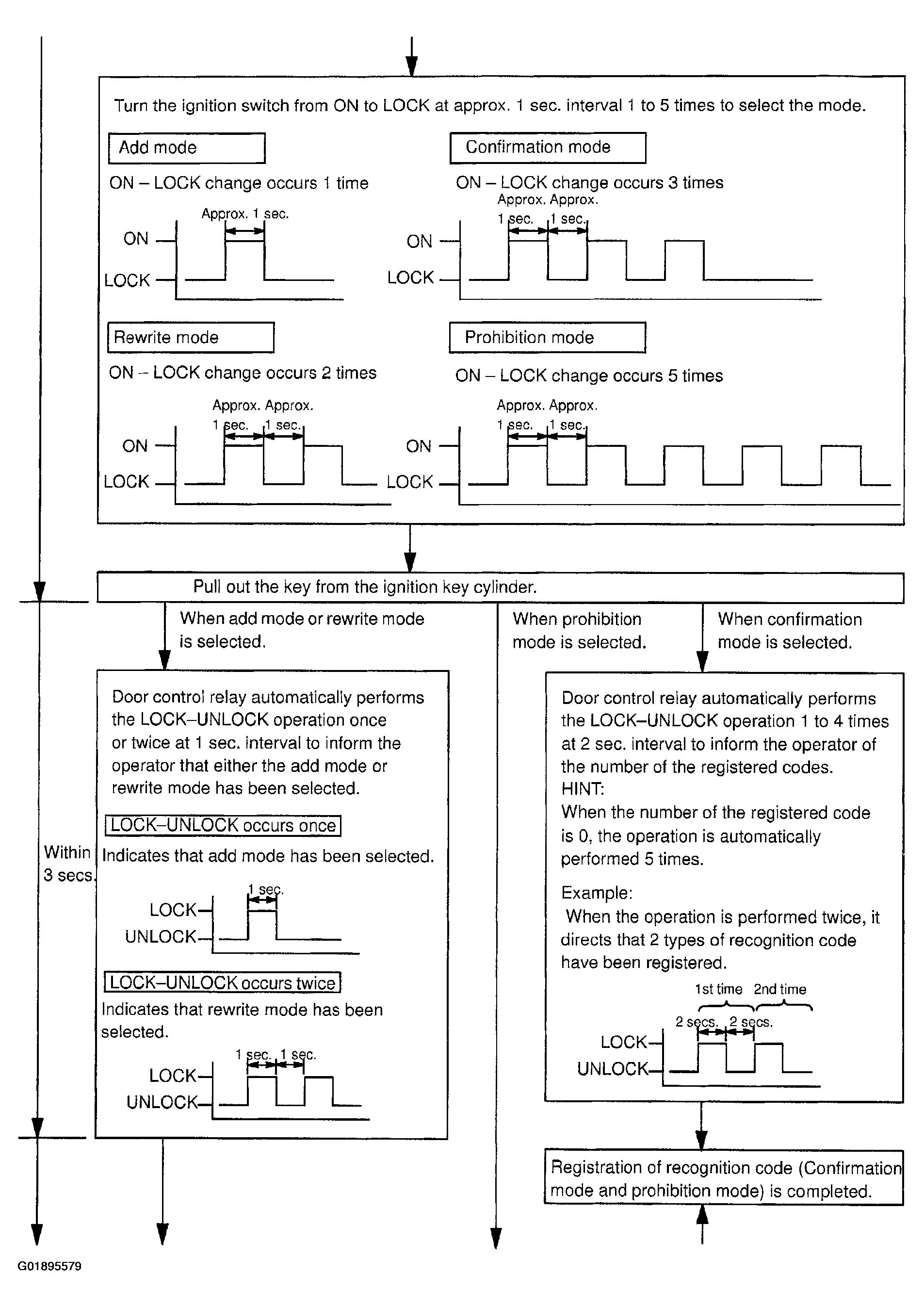 Courtesy of © TOYOTA, LICENSE AGREEMENT TMS1002
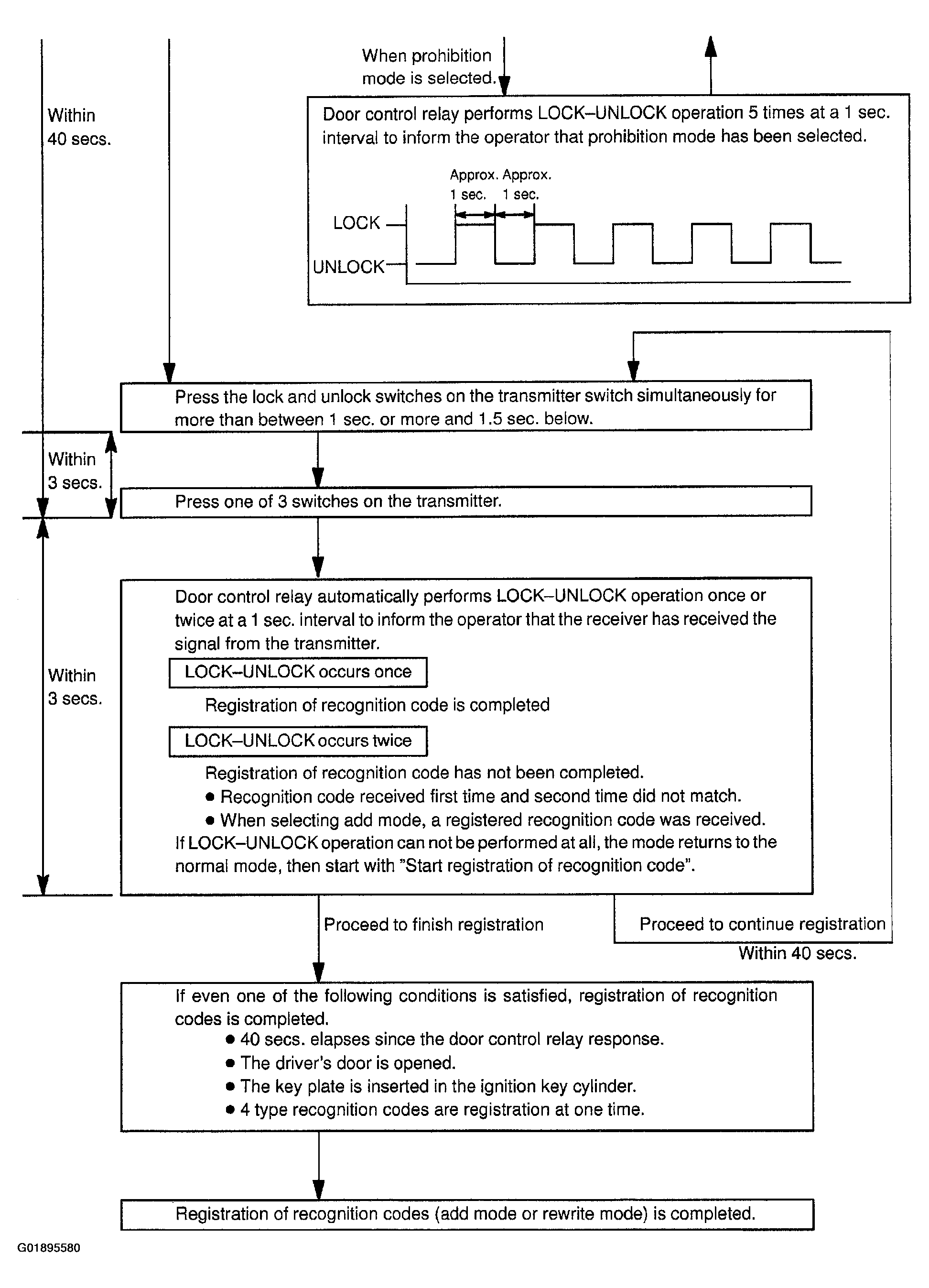 Courtesy of © TOYOTA, LICENSE AGREEMENT TMS1002